Summarize with AI
Key Takeaways
- AI in customer service uses NLP, machine learning, and generative AI to automate, personalize, and optimize customer support experiences.
- AI agents and chatbots instantly resolve repetitive customer queries across chat, email, voice, and self-service support channels continuously.
- Agent copilots improve support productivity by generating responses, surfacing knowledge articles, summarizing conversations, and automating ticket routing processes.
- AI improves customer satisfaction, increases first-contact resolution rates, reduces average handle time, and lowers overall operational support costs.
- Successful AI customer service deployments require clean training data, strong privacy safeguards, and human oversight for complex customer interactions.
AI is already a part of many support teams today and is used to handle conversations, assist agents, and manage growing ticket volumes without constant team expansion. For most businesses, this is a present-day shift in how customer service runs. Teams evaluating AI are trying to understand where it actually works well, where human agents remain critical, and how to introduce it without harming the customer experience they have worked hard to build.
This guide is for teams that have moved past initial curiosity and now need a clear, practical understanding of how AI fits into their support operations and what it can realistically be expected to handle.
It breaks down how AI works in customer service, why it matters now, where teams are using it in real scenarios, what results it delivers, and how to implement it step by step while avoiding common mistakes.
What Is AI in Customer Service?
AI in customer service is a mix of capabilities that work together, which includes understanding what a customer is asking, identifying intent, resolving common queries, routing conversations to the right place, and helping agents respond faster.
Two platforms might offer similar features on paper, but how AI is actually built into the system makes a noticeable difference once the team starts using it daily. Also not every tool that claims to have AI works the same way in practice.
The key difference comes down to rule-based automation and AI-native support:
Rule-based automation
- Works on fixed if-then logic
- Handles only predefined scenarios
- Breaks when queries fall outside expected patterns
- Often passes tickets to agents without much context
AI-native support
- Understands natural language across different phrasings
- Identifies intent even when queries are worded differently
- Learns from past interactions and improves over time
- Handles a wider range of queries without strict scripting
Rule-based systems tend to struggle once conversations move outside simple flows. AI-native systems handle variation better and keep conversations moving without constant handoffs.
AI in customer service today is about making the entire system work better by resolving more queries, responding faster, and giving agents the context they need when a human response is required.
Why Has AI in Customer Service Become a Priority in 2026?
1. Customer Expectations Have Outpaced Traditional Support Models
Customers expect quick replies and consistent answers across channels, and if they start in email and follow up on WhatsApp, they expect the context to carry over without having to repeat everything.
Most traditional systems were built around tickets and queues, not ongoing conversations. That gap shows up in everyday support and pushes teams to rethink how their setup actually works.
2. Support Volume Is Growing Faster Than Headcount Can Scale
Hiring and training take time, and costs increase quickly as the team expands. When volume doubles, hiring more agents at the same pace is rarely practical.
When volume doubles, scaling the team at the same pace is rarely practical. This is where AI helps take on part of the workload so teams can manage growth without constant hiring.
3. Repetitive Queries Are Consuming Disproportionate Agent Time
A big portion of support tickets are the same queries repeated in different ways, like order status, refunds, account access, and basic product questions, which come up every day. As volume increases, this slows everything down unless those queries are handled differently.
4. The Cost of Poor Customer Service Is Measurable and Significant
Slow replies, inconsistent answers, or unresolved issues affect how customers see the business and whether they come back.
For many teams, this means lost revenue through churn, negative reviews, and fewer repeat purchases. Fixing support quality directly impacts growth, which is why AI customer service trends are attracting more attention in 2026.
6 Practical Examples of AI in Customer Service
Many teams are using AI daily in live support environments to manage real conversations at scale. These examples show how AI is helping teams work faster, smarter, and more efficiently, without replacing human agents.
1. Automated Resolution of Repetitive L1 Queries
A D2C apparel brand receives hundreds of questions about order status and refunds every day. Most of these follow clear, predictable patterns. AI identifies what the customer is asking, pulls the relevant information, and provides an instant answer. Agents handle only queries that require judgment, reducing workload and keeping customers happy with fast responses.
2. Intelligent Ticket Routing and Prioritization
A B2B SaaS company manages support tickets from email, chat, and social media simultaneously. AI reads each ticket, evaluates its urgency, sentiment, customer type, and query category, and routes it to the right agent or team. High-priority tickets reach agents immediately, while routine ones are batched. This ensures no critical issue gets lost in the queue and eliminates time spent on manual sorting.
3. AI Copilot for Agent Response Drafting
At a logistics company, support agents handle a mix of complex and simple queries. AI works alongside them by reviewing the conversation in real time, suggesting a draft response, surfacing relevant help articles, and identifying customer intent. Agents check and send the message, saving time while keeping answers accurate and consistent even during peak hours.
4. Consistent Support Across Multiple Channels
A customer contacts a D2C food brand via email, then follows up on WhatsApp a few days later. Without AI, the two messages might feel disconnected. With omnichannel customer service maintained by AI, the agent can see the full conversation history across channels and continue seamlessly. The customer doesn’t have to repeat themselves, and the support experience feels smooth and unified.
5. Proactive Support Before a Ticket Is Raised
An e-commerce brand tracks signals such as repeated visits to a returns page, failed payments, or inactivity following updates. Instead of waiting for a customer to create a ticket, AI proactively sends a helpful message. This anticipates issues, reduces frustration, and often solves the problem before a formal support request is made.
6. AI-Generated Performance Insights for Support Leader
A CX lead managing multiple agents across channels needs visibility into how the team is performing. AI continuously analyzes support activity, showing resolution rates, escalation trends, peak ticket times, and individual agent performance. These insights help leaders make decisions based on real data, improving operations and planning without relying on slow, manual reports.
What are The Top Benefits of AI in Customer Service?
AI in customer service delivers real, measurable outcomes for businesses, support teams, and customers. It changes how teams operate, how quickly customers get answers, and how sustainable support operations are at scale.
1. Faster Response and Resolution Times
AI handles customer queries instantly, regardless of time zone, queue length, or agent availability. Questions it can be resolved automatically are answered immediately. Even when human agents are needed, AI helps by summarizing conversation context and drafting responses. This reduces the time it takes to resolve tickets and gives customers a much faster, smoother experience.
2. Significant Reduction in Repetitive Ticket Workload
Many support tickets repeat the same questions, like order status, refund requests, and account help, where AI handles these automatically, freeing agents from repetitive tasks. Agents can focus on complex issues that require judgment and empathy. This not only improves efficiency but also makes their work more meaningful and satisfying.
3. Consistent Customer Experience Across Channels and Time Zones
AI doesn’t have off days, doesn’t get tired, and keeps the same tone across channels. Whether it’s Sunday at 2am or a busy weekday, the experience stays consistent. Customers get accurate answers across email, chat, WhatsApp, or social media. For businesses serving multiple regions, this reliability is crucial.
4. Support Capacity That Scales Without Proportional Cost Increases
AI allows teams to handle more without hiring in proportion. Adding thousands of AI-resolved tickets costs much less than adding agents. Teams can scale support operations efficiently, keeping costs under control while maintaining high service quality.
5. Deeper Operational Visibility for Support Leaders
AI continuously monitors support activity, giving leaders real-time insight into what’s happening. Metrics like resolution rates, escalations, sentiment, and ticket volumes are always visible. This allows managers to act quickly, optimize workflows, and make decisions based on real data rather than guesswork.
How to Use AI to Improve Customer Service
AI in customer service often fails because teams implement it without a clear plan. This section outlines a practical approach that produces reliable, measurable results for support operations.
Step 1: Define the Specific Outcomes You Want AI to Deliver
Before choosing a platform, be clear on what success looks like. Are you aiming to reduce average resolution time? Lower the number of repetitive L1 tickets? Improve agent productivity or customer satisfaction? Defining these outcomes upfront keeps the implementation focused and helps measure progress effectively. Clear goals make it easier to see whether AI is delivering the results you expect.
Step 2: Audit Your Current Support Workflow and Query Distribution
Take stock of how your support team currently operates. Which tickets are repetitive L1 queries? Where do delays happen most? Where do escalations occur frequently? Understanding these patterns helps identify the areas where AI can have the greatest impact with the lowest risk. This baseline also provides a reference point to measure improvements after AI deployment.
Step 3: Choose an AI-Native Platform Rather Than a Bolted-On AI Feature
There’s a big difference between platforms with added AI features and those built AI-native from the ground up. AI-native platforms embed automation across routing, resolution, agent assistance, and analytics. Platforms that bolt AI on later often leave large parts of the workflow untouched. Choosing the right architecture determines how much of your support operation can actually improve.
Step 4: Start With High-Volume, Predictable Query Types
Begin with queries AI can handle reliably, such as repetitive, well-defined L1 issues like order status, refund eligibility, and account access. This approach delivers quick wins, builds confidence in the system, and provides measurable ROI. It also lays the groundwork for expanding automation to more complex queries over time.
Step 5: Build a Clear and Reliable Human Escalation Path
AI should only handle what it can resolve confidently, and for sensitive, complex, or emotionally charged issues, a seamless handoff to a human agent is essential. Preserve full conversation context so the customer doesn’t have to repeat themselves. A well-designed escalation path maintains trust and protects the overall customer experience.
Step 6: Measure, Optimize, and Expand Coverage Over Time
Set a regular review schedule to track customer service metrics including resolution rates, escalation triggers, and customer satisfaction on AI-handled tickets. Use these insights to refine responses, adjust thresholds, and expand automation where appropriate. Treat AI as an ongoing practice rather than a one-time project for continuous improvement.
Factors to Consider When Implementing AI in Customer Service
Even with careful planning, AI can fail if teams overlook key operational or strategic factors. These are challenges that support teams actually face in day-to-day operations, not just theoretical risks.
AI Should Augment Your Agents, Not Isolate Them
The most effective approach to AI vs human customer support treats agents as part of the system, with AI handling tasks it can do reliably while agents focus on situations requiring judgment and empathy. Both work from the same conversation context. When teams design this coordination deliberately, outcomes improve. When AI is isolated or siloed, agents struggle, and customer experience suffers.
Overdeployment Is as Risky as Underdeployment
Poorly handled queries confuse customers and damage trust. Start narrow with the query types AI can resolve confidently. Expand coverage only as performance data supports it. Overconfidence in AI’s abilities is a common and costly mistake.
Customer Transparency About AI Interaction Matters
Being upfront about speaking with AI , while ensuring responses are fast, accurate, and helpful, builds trust. Trying to disguise AI as human support can backfire. When expectations aren’t met, frustration increases. Transparency sets clear expectations and reduces customer disappointment.
AI Performance Requires Ongoing Monitoring and Optimization
Customer queries evolve, products change, and new edge cases appear over time. Teams that continuously monitor AI performance, refine responses, update knowledge base connections, and adjust escalation thresholds maintain high accuracy. Treating deployment as a one-time project leads to degraded performance.
Integration With Existing Systems Determines Practical Value
AI works best when it can access relevant customer data, order history, account status, previous interactions, and subscriptions. Without this context, AI can only give generic answers. Platforms that integrate cleanly with your CRM, e-commerce tools, and support stack deliver higher resolution accuracy and better customer experiences.
How QuantumDesk Brings AI Into Customer Service the Right Way?
At this point, you understand how AI fits into customer service and what it can do, where it helps, and where it can go wrong. The next step is seeing what this looks like in a real setup.
QuantumDesk is built around these exact principles, demonstrating how AI can be applied to improve support without compromising the customer experience.
This is where everything comes together, and instead of isolated features, QuantumDesk brings AI into the full support workflow, handling repetitive queries, supporting agents in real time, and giving teams clear visibility into performance, all within a single system.
- Built AI-Native From the Ground Up, Not Retrofitted: QuantumDesk is designed with AI at the core, not added later as a feature. From the moment a conversation comes in, AI plays a role in routing, resolving, and assisting. This setup allows the system to work smoothly across the entire workflow instead of solving only small parts of it. The result is a more consistent and reliable support process, with no gaps between tools.
- Quantum AI Resolves What It Should and Escalates What It Should Not: Quantum AI handles common, predictable queries such as order status, refunds, and account questions without agent involvement. When something more complex comes in, it passes the conversation to a human with full context. This balance keeps automation useful without pushing it into areas where it can fail, which is where most poor AI experiences come from.
- AI Copilot That Makes Every Agent More Effective: When a conversation needs a human, AI steps in as support rather than stepping back. It drafts replies, summarizes previous messages, and highlights what the customer is asking for. Agents don’t start from scratch every time, which helps them respond faster and stay consistent even during busy periods.
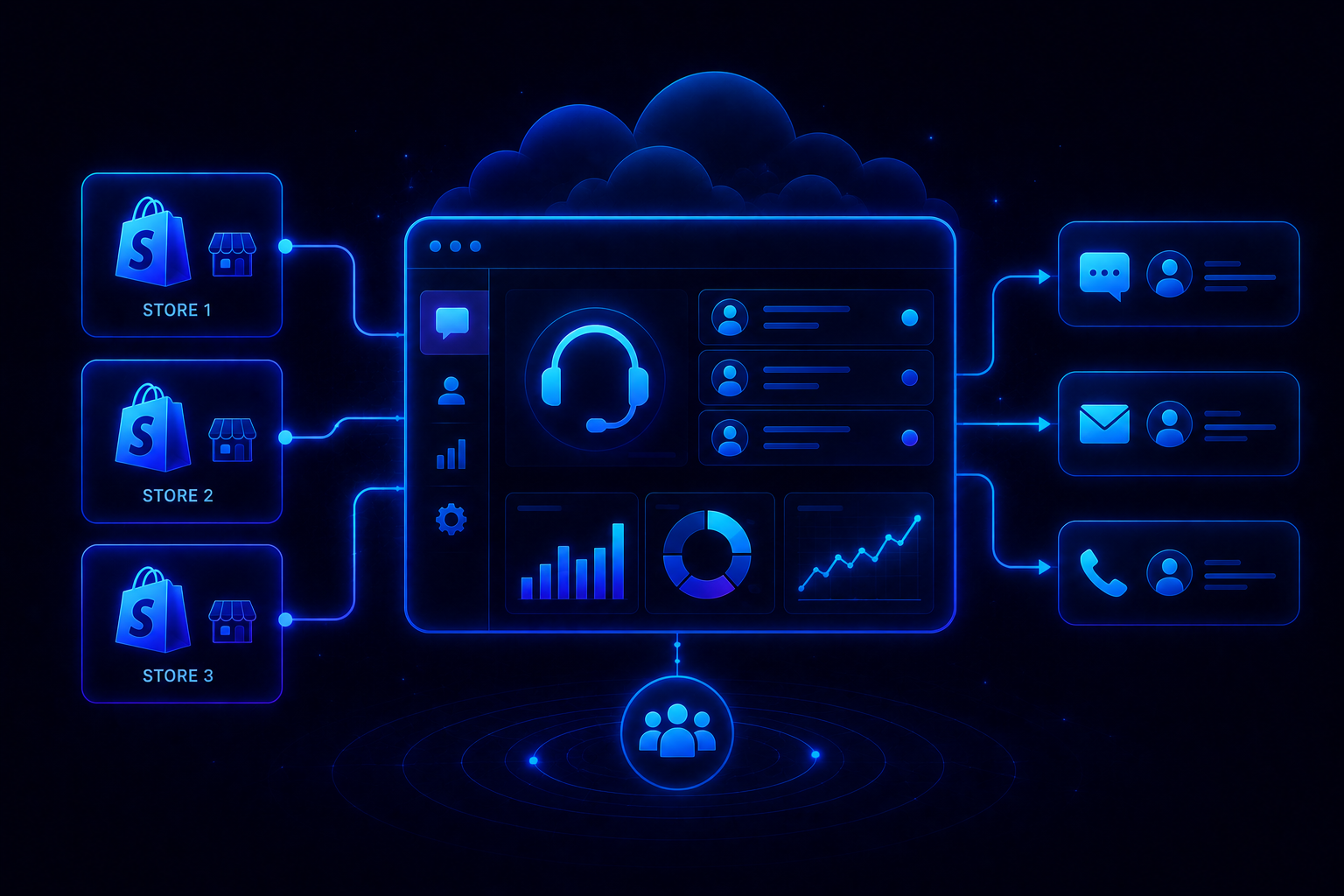
- A Unified Inbox That Keeps AI and Agents in the Same Context: QuantumDesk brings all conversations, email, chat, WhatsApp, and social into one place. Both AI and agents work from the same history, so nothing gets lost when customers switch channels. This removes the need for customers to repeat themselves and helps agents pick up conversations without missing context.
- Real-Time Visibility Into How AI Is Performing: Support leaders can see how AI is performing in real time. Resolution rates, escalations, ticket volume, and satisfaction trends are all visible in one place. This makes it easier to spot issues early, adjust how AI is used, and keep improving results over time, rather than waiting for reports.
QuantumDesk shows that AI in customer service works best when it is built into the system from the start, not added later. It needs to be monitored, adjusted, and used alongside agents, not in place of them. When done this way, AI improves both speed and quality without hurting the customer experience.
For teams looking to move from theory to real results, QuantumDesk offers a clear and practical way forward.
Book a demo today and see how it works in a live support setup.
FAQs
Will AI in customer service work for businesses that handle complex, technical support queries?
Yes, if it’s used the right way. AI works best on high-volume, predictable queries, but it still adds value in more complex setups. In those cases, it supports agents instead of replacing them by summarizing long threads, pulling relevant docs, and drafting responses. Agents review and refine, which speeds things up while maintaining consistent quality.
How much does it cost to implement AI in customer service?
It depends on how the platform is built and priced. Many traditional tools charge extra for each AI feature, which can add up quickly. AI-native platforms usually include AI as part of the core product with a mix of seat-based and usage pricing. For most teams, this is more cost-effective than adding AI to an existing system.
How long does it take to see results after deploying AI?
Teams usually start seeing results within a few weeks, especially if they begin with simple, high-volume queries. The speed depends on how clearly the use cases are defined and how well the setup is done. Teams that actively review performance and make adjustments early tend to see faster and more stable results.
Can AI in customer service handle multiple languages?
Yes, most modern platforms support multiple languages, but the quality can vary. It’s not just about translation; the AI needs to understand intent and respond naturally in each language. For teams serving global customers, this becomes an important factor when choosing a platform.
What is the difference between an AI chatbot and an AI-native customer service platform?
A customer service chatbot is typically a single tool designed to handle conversations, often with limited flexibility. An AI-native platform goes much further; it uses AI across the entire support workflow, from resolving queries to helping agents, routing tickets, and tracking performance. One handles conversations, the other improves the whole support system.



.avif)