
Summarize with AI
Key Takeaways
- QuantumDesk is the best AI-native pick for SMBs and D2C brands, automating L1 queries across WhatsApp, email, and Shopify with resolution-based pricing.
- Zendesk AI leads for enterprise-scale ticket automation, delivering an AI Copilot and intelligent routing for large, multi-team support operations.
- Intercom Fin AI is the top pick for SaaS teams, resolving customer queries directly from connected knowledge base content without scripted bot flows.
- Freshdesk Freddy AI is the best value option for SMBs, pairing affordable ticketing with AI reply suggestions, summaries, and email deflection.
- Gorgias is the top pick for Shopify brands, automating order tracking, returns, and refund workflows using live store data at scale.
- Ada suits enterprises needing no-code AI automation, building structured conversation flows that handle full workflows and connect to CRMs and commerce platforms.
Support teams in 2026 are not asking whether to add AI. They're asking which platform actually reduces ticket volume.
I tested 10 AI customer service tools across real support workflows: D2C and SMB teams handling WhatsApp, Instagram, and email; SaaS teams running in-app chat; and e-commerce brands managing Shopify-first ticket queues.
Each platform handles automation depth, channel coverage, and agent-assist capabilities differently, and the gap between AI-native and AI add-on shows up fast once real ticket volume hits.
This roundup breaks down what each tool actually does, where it fits, and where it falls short, so you can pick the right platform without testing all 10 yourself.
A Quick Comparison: Top 10 AI Customer Service Tools in 2026
How Do I Choose These 10 AI Customer Service Tools?
I chose these 10 tools by testing each inside real support workflows and benchmarking actual AI resolution depth rather than taking vendor marketing at face value.
Here is how I approached the shortlist:
- I ran verification checks across G2, Capterra, and Gartner to confirm real user ratings, review patterns, and AI feature performance across team sizes and support categories.
- I spoke with support leaders actively running AI tools in production to understand what actually works across SMB, mid-market, D2C, and enterprise deployments.
- I benchmarked AI resolution depth, pricing models, and channel coverage against what each vendor actually delivers beyond their feature and marketing pages.
- I read Reddit threads and community forums to surface real user complaints and praise outside polished vendor-published case studies and claims.
- I spent time inside each platform's dashboard, automation flows, and copilot features rather than relying on a single vendor demo or walkthrough.
- I weighed pricing and scalability for teams handling 500 to 10,000 monthly tickets with AI in the loop, not just entry-level or starter plans.
In-Depth Review of the Best 10 AI Customer Service Tools in 2026
1. QuantumDesk: Best AI-Native Customer Service Platform

QuantumDesk is an AI-native customer service platform built for D2C and SMB teams that need to automate L1 queries, unify channels, and scale support without growing headcount.
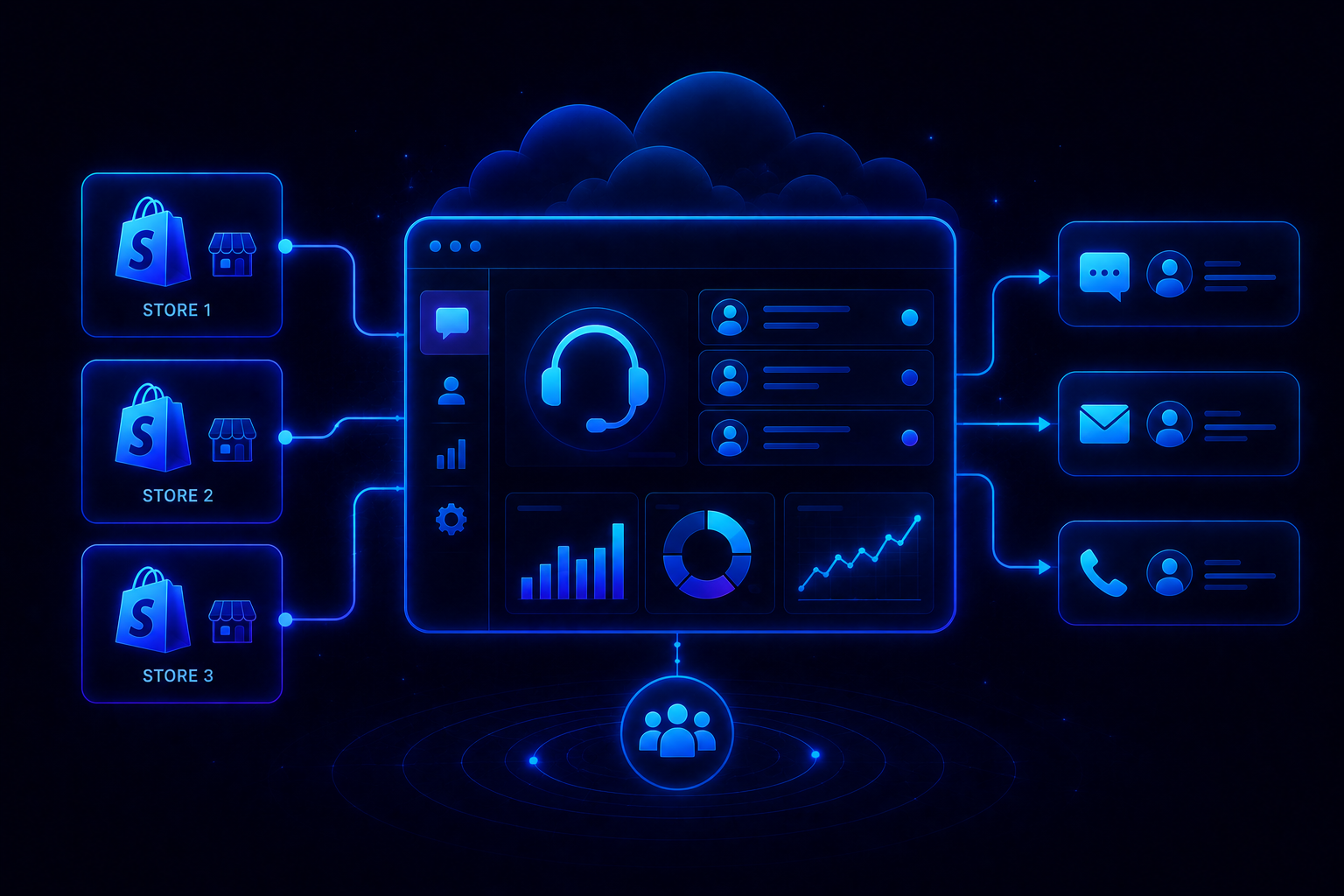
It centralizes WhatsApp, Instagram, email, and live chat in one workspace, where Quantum AI resolves repetitive tickets automatically and routes the rest with full context preserved. Native Shopify integration pulls order status and customer profiles directly into every conversation.
Unlike tools that bolt AI on top of legacy ticketing, QuantumDesk embeds intelligence across every workflow from day one. A D2C apparel brand handling 1,500 monthly orders saw this clearly when ticket volume spiked 4x during a flash sale.
Quantum AI resolved L1 queries automatically while the AI-Curated Inbox surfaced urgent complaints to the top before they escalated.
Key Features
- Quantum AI Agent resolves repetitive L1 queries like order status, refund requests, and account questions without entering an agent queue at all.
- Native Shopify integration surfaces order status, history, and customer profiles directly inside every conversation the moment a message arrives.
- AI-Curated Inbox prioritizes incoming tickets by sentiment, urgency, and intent so agents always handle the highest-impact conversations first.
- Quantum AI Copilot drafts replies, summarizes long threads, and recommends next actions for agents inside every live conversation in real time.
- Real-time analytics dashboard tracks resolution rates, ticket volume, agent performance, and AI efficiency across every active support channel in one view.
Pros
- AI is embedded into every workflow from day one, not sold as a separate paid module requiring a second budget approval and configuration cycle.
- Resolution-based pricing aligns cost with actual value delivered, especially for SMBs scaling ticket volume through seasonal spikes and product launches.
- Built specifically for D2C and SMB scale rather than being a stripped-down version of an enterprise platform sold downstream to smaller teams.
Cons
- Still in early access, so enterprise-grade controls and workflow depth are expanding fast but have not reached the level of decade-old category leaders.
- The integration library beyond Shopify and core channels is still growing, which matters for teams running complex CRM, ERP, or analytics stacks alongside support.
Best Use Case
D2C brands and SMBs that want AI resolving repetitive order, refund, and product queries automatically, without paying enterprise prices to automate a fraction of their actual workflow.
When to Choose QuantumDesk
Choose QuantumDesk when your support volume is growing faster than your headcount and you want AI embedded into every conversation from day one, not added as a separate module that only touches part of the workflow.
Pricing
QuantumDesk follows a resolution-based pricing model where teams pay for AI-resolved tickets rather than per seat or per AI add-on. Visit the QuantumDesk pricing page for current plans, or contact the team directly for a demo tailored to your ticket volume and channel setup.
2. Zendesk AI: Best for Enterprise Support Teams at Scale

Zendesk AI is an enterprise-grade AI layer built directly into the Zendesk platform for large support operations managing high daily ticket volumes.
It adds an AI Copilot with reply drafts and conversation summaries, intelligent routing using skills-based assignment and business rules, and AI-powered self-service bots on top of Zendesk's mature ticketing infrastructure. Explore our Zendesk alternatives guide for platforms outside the Zendesk ecosystem.
Key Features
- AI Copilot drafts replies and surfaces relevant knowledge base articles during every live agent conversation.
- Smart ticket routing uses skills-based assignment, priority detection, and business rules to direct tickets automatically.
- AI bots handle common questions and deflect tickets before they reach an agent queue.
Pros
- Mature platform with over a decade of ticketing refinement, so core workflows rarely break under heavy load.
- Deep integration ecosystem connects to hundreds of CRM, commerce, and engineering tools across complex enterprise stacks.
- AI Copilot meaningfully improves agent response speed and consistency across large, multi-queue operations.
Cons
- AI features are priced as an add-on on top of per-agent licensing, which raises total cost quickly as teams scale.
- Setup and configuration require more time and expertise than newer AI-native platforms built for faster onboarding.
- Pricing is steep for SMBs relative to tools built specifically for smaller support teams and D2C workflows.
Best Use Case
Large enterprises running complex, multi-team support operations that need mature omnichannel routing, deep integrations, and AI assist without leaving an established platform.
When to Choose Zendesk AI
Choose Zendesk AI when your organization already runs Zendesk and needs enterprise-grade routing and integration depth more than AI-native pricing or autonomous ticket resolution.
Pricing
Zendesk's Support Team plan starts at $19/agent/month billed annually, with Suite plans from $55/agent/month. AI Copilot and advanced AI features require higher-tier plans or separate add-on pricing.
3. Intercom Fin AI: Best for SaaS and Chat-First Support
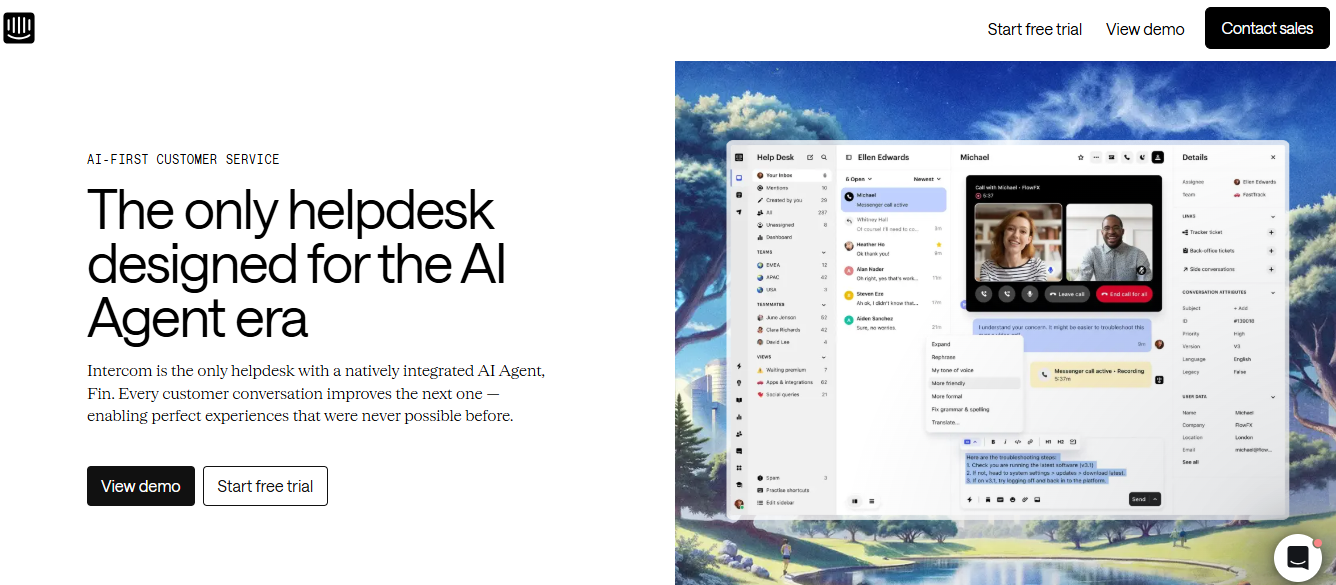
Fin is Intercom's AI agent, built for SaaS and product-led businesses that manage high support volumes through in-app chat and messaging.
It resolves customer queries by pulling directly from your help center articles and documentation, handling subscription, onboarding, and feature questions end-to-end without agent involvement. See Intercom alternatives for platforms built outside the Intercom ecosystem.
Key Features
- Resolves customer questions end-to-end using connected knowledge base content without requiring scripted conversation flows.
- Supports in-app chat, email, WhatsApp, and SMS for Fin-powered responses across every customer channel.
- Usage-based billing per AI resolution ties cost directly to successful automated outcomes rather than per-agent seats.
Pros
- Tight integration with Intercom's help desk simplifies deployment for teams already standardized on the Intercom platform.
- Responses are grounded in your own content, producing brand-aligned answers rather than generic AI-generated replies.
- Pay-per-resolution model ties spending to measurable automation value and keeps costs predictable at lower volumes.
Cons
- Requires Intercom as the core help desk, so teams on other platforms need to migrate before deploying Fin.
- Automation quality depends entirely on the completeness and accuracy of your existing documentation and help content.
- Per-resolution billing on top of per-seat Intercom fees can become expensive for teams with high ticket volume.
Best Use Case
SaaS companies already on Intercom with strong self-service content libraries and high volumes of repetitive product and subscription queries.
When to Choose Fin
Choose Fin when your team has standardized on Intercom and wants a usage-based AI agent that resolves conversations by drawing directly from your existing support content.
Pricing
Fin uses usage-based pricing at approximately $0.99 per successful AI resolution, on top of Intercom's per-seat charges starting at $29/seat/month.
4. Freshdesk Freddy AI: Best for SMB Helpdesk Teams
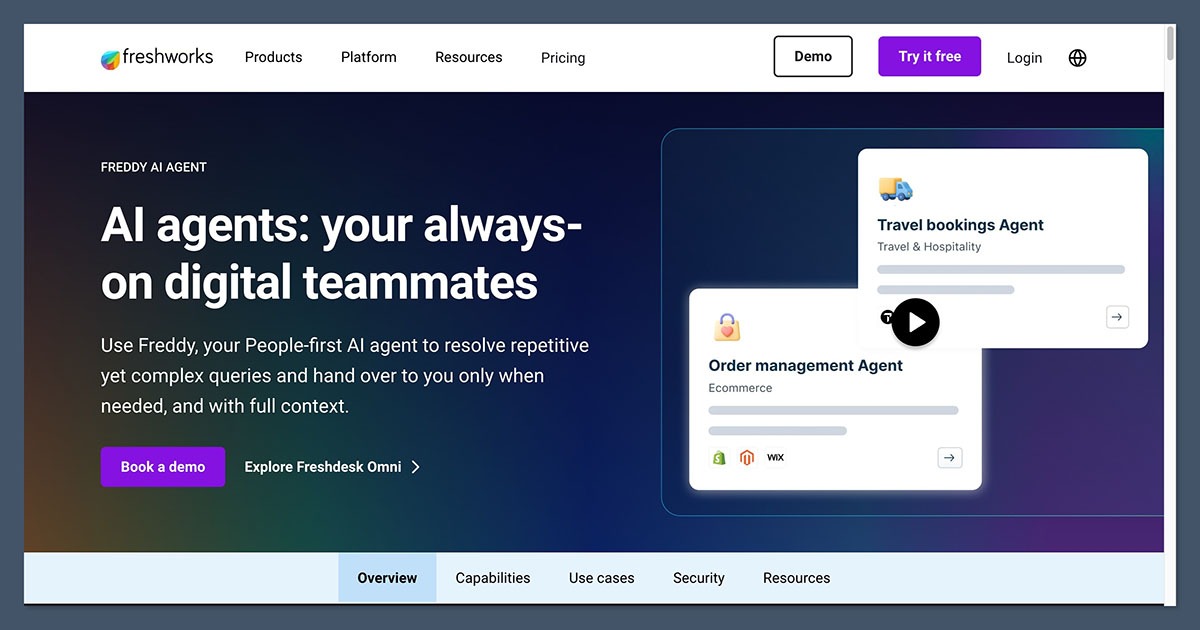
Freshdesk Freddy AI is an AI-powered support suite for SMBs that want accessible automation without enterprise complexity or a full platform migration.
Freddy AI Copilot assists agents with reply drafts and ticket summaries, while Freddy AI Agent deflects incoming email tickets as affordable add-ons on existing Freshdesk plans. See Freshdesk alternatives for platforms beyond Freshdesk.
Key Features
- Freddy AI Copilot drafts replies, generates ticket summaries, and provides contextual assistance to agents during live ticket handling.
- Email AI Agent automatically responds to common support emails and deflects tickets before they reach an agent.
- Freddy Insights provides analytics on AI performance and deflection rates when Copilot licenses are active.
Pros
- Affordable add-on pricing makes AI accessible for small and mid-sized teams already invested in the Freshdesk platform.
- Copilot directly assists agents during ticket handling, improving response quality and reducing time-per-ticket.
- Easy to turn on without lengthy configuration cycles that enterprise AI platforms often require.
Cons
- Tied to the Freshdesk platform and not available as a standalone product for teams on other help desks.
- Advanced AI features and omnichannel capabilities are limited to higher-tier plans, which narrows the pricing advantage.
- AI resolution depth is shallower than AI-native platforms built to handle full conversations without agent involvement.
Best Use Case
SMB support teams already using Freshdesk that want to add AI for email automation and agent productivity without migrating to a new platform.
When to Choose Freshdesk Freddy AI
Choose Freshdesk Freddy AI when you run Freshdesk and need an affordable AI add-on for email deflection and agent productivity without changing your existing helpdesk workflow.
Pricing
Freddy Copilot starts at $29/agent/month as an add-on. Freddy AI Agent session packs cost $49 per 100 sessions, on top of base Freshdesk plan pricing.
5. Gorgias: Best for Ecommerce and Shopify Brands
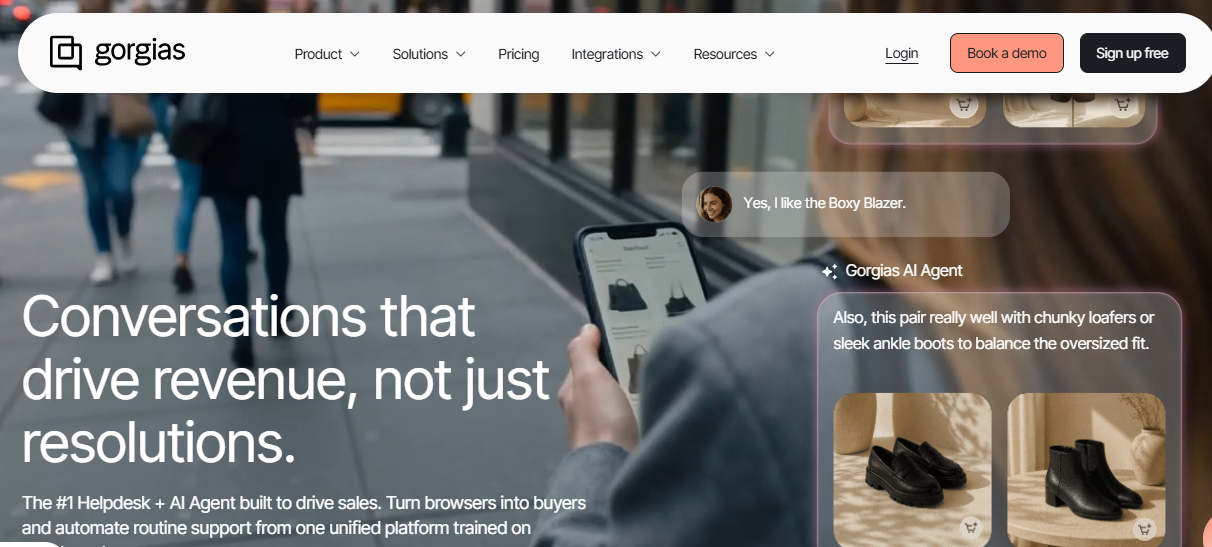
Gorgias is an ecommerce customer service platform with an AI Agent built specifically for Shopify and D2C brands handling high volumes of order and shipping queries.
Its AI Agent connects to live store and order data to resolve shipping, return, and FAQ queries instantly, and can propose discounts and upsells based on real-time customer context. See our Gorgias alternatives and Gorgias reviews guides for more context.
Key Features
- AI Agent connects to Shopify store data to trigger refunds, cancellations, and return labels directly from support conversations.
- Automated handling of order tracking, returns, and FAQ queries reduces agent workload for high-volume ecommerce stores.
- Live discount and upsell offers during support conversations are based on real-time customer and order data.
Pros
- Deep Shopify-native automation resolves the exact repetitive queries D2C brands see most: order status, returns, and shipping questions.
- Ticket-based pricing avoids per-agent fees, which suits stores that flex support headcount around seasonal peaks and launches.
- Revenue-linked reporting gives ecommerce teams a way to tie support performance directly to business outcomes.
Cons
- Built specifically for ecommerce, so it is a weak fit for B2B SaaS, internal IT, or account-based support use cases.
- AI Agent works best with clean store and order data, so messy catalogs or fragmented inventory setups limit automation depth.
- Less suited to teams needing deep CRM or ITSM integrations outside the ecommerce and marketing tool stack.
Best Use Case
Shopify and D2C brands where order, shipping, and return queries make up the majority of support volume and ticket-based pricing fits better than per-agent billing.
When to Choose Gorgias
Choose Gorgias when ecommerce queries dominate your ticket queue and you want AI resolving them using live store data. See the Gorgias pricing breakdown for a full cost comparison.
Pricing
Gorgias uses ticket-volume-based pricing rather than per-agent, with the AI Agent billed on a pay-per-resolution basis and add-ons like Voice and SMS priced separately.
6. Ada: Best for Enterprise AI Support Automation
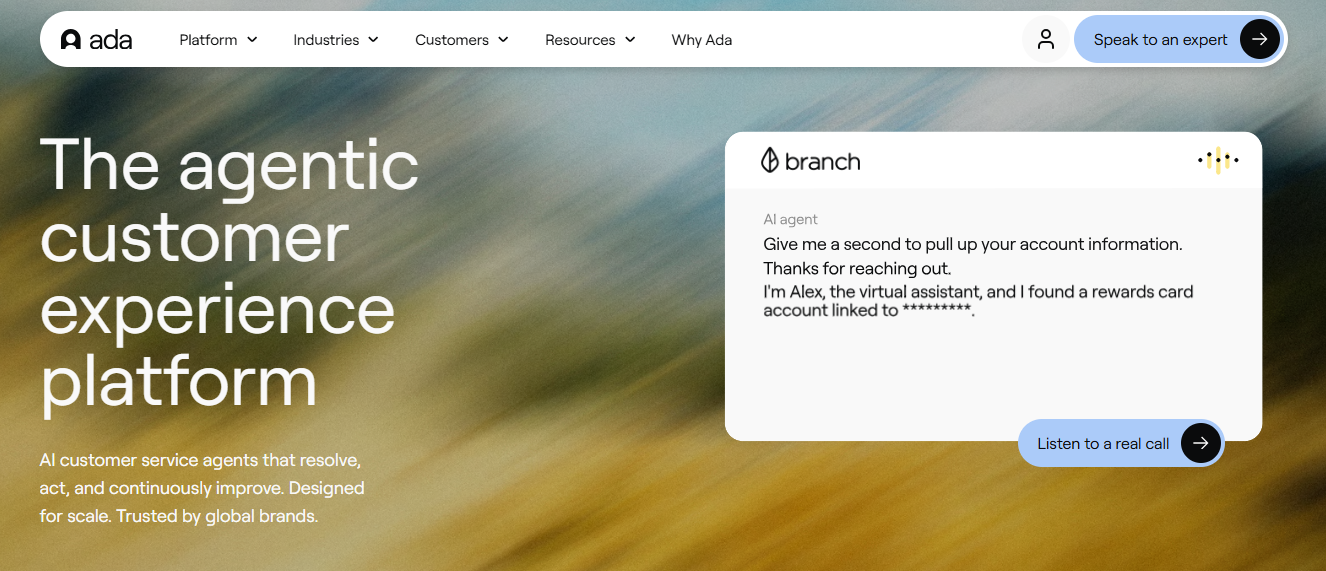
Ada is an enterprise AI automation platform that deploys AI agents across channels to scale customer support without linearly increasing headcount.
No-code tools let CX teams build and update AI workflows without engineering support, automating FAQs, user authentication, and transactional actions across large, multi-channel operations.
Key Features
- No-code workflow builder enables CX teams to build and modify AI automations without any developer involvement.
- Omnichannel deployment covers web, messaging, and app channels from a single centralized platform.
- Enterprise-scale automation handles high volumes of transactional and informational inquiries simultaneously across multiple channels.
Pros
- No-code configuration lowers the barrier for non-technical teams to build and iterate on AI automations independently.
- Enterprise orientation supports large-scale deployments across complex organizational structures with multiple teams and channels.
- Multilingual support makes it practical for global support teams handling queries across regions and languages.
Cons
- Complex edge cases still require human oversight and custom integrations that go beyond the no-code interface.
- Custom pricing and lack of public rate cards make pre-purchase cost comparisons difficult for teams evaluating options.
- May be too complex for smaller teams that do not need multi-channel enterprise automation at scale.
Best Use Case
Enterprises with high inbound volumes across multiple channels that need to automate support at scale without proportionally growing their support headcount.
When to Choose Ada
Choose Ada when your enterprise needs a centralized, no-code AI layer across multiple customer touchpoints and requires governance controls built into the platform.
Pricing
Ada uses custom enterprise pricing based on usage, channels, and support scope. Public rate cards are not available; contact their team directly for a quote.
7. Tidio Lyro AI: Best for Small D2C Brands and Online Stores

Tidio is a customer service platform built for small online businesses, combining live chat, email, and chatbot automation through its Lyro AI system.
Lyro AI trains on your existing FAQs and help content to resolve common queries quickly, making it easy to add automation without technical work or content migration. Teams comparing chat tools for small stores often shortlist Tidio for its quick setup and affordability. See our Tidio alternatives guide and Tidio reviews for more.
Key Features
- Lyro AI chatbot trains on existing FAQ and help center content to resolve common queries without manual scripting.
- Live chat and chatbot combined in one platform for website visitors across Shopify, Instagram, and WhatsApp.
- Email and messaging support unified in one place alongside the chatbot workflow.
Pros
- Affordable pricing with a free plan available, making it accessible for small teams testing AI-assisted support.
- Quick setup with minimal technical effort, so teams can launch automation within a day rather than weeks.
- Good fit for simple support workflows where FAQs and order questions make up most of the ticket volume.
Cons
- Limited advanced automation features make it unsuitable for complex workflows or multi-step query resolution.
- Basic analytics compared to larger platforms limit the ability to measure and improve AI performance over time.
- Not suited for growing teams with diverse channel needs or enterprise-level support complexity.
Best Use Case
Small D2C brands and online stores that want a quick, affordable way to automate FAQ and order query responses without investing in a full help desk platform.
When to Choose Tidio Lyro AI
Choose Tidio Lyro AI when your support volume is low to moderate, your queries are repetitive and FAQ-heavy, and a simple, affordable chatbot layer is all you need.
Pricing
Tidio offers a free plan with limited AI conversations. Paid plans start at approximately $29/month, with Lyro AI conversation packs priced separately based on usage.
8. Sprinklr AI: Best for Enterprise Social and Support Unification
Sprinklr is a customer experience platform built for large enterprises managing support, social media, and customer engagement across multiple channels simultaneously.
Its AI capabilities span automated responses, sentiment detection, and conversation prioritization, making it useful for brands that manage high volumes of interactions across social and messaging platforms alongside traditional support.
Key Features
- AI-powered automation across support and social channels with unified routing and prioritization.
- Sentiment analysis and conversation prioritization to help large teams manage scale across regions and channels.
- Unified platform covering customer service, social listening, and engagement together in one enterprise system.
Pros
- Handles large-scale, multi-channel operations where support and social engagement overlap significantly.
- Combines support with social engagement and marketing workflows, reducing the number of separate enterprise tools needed.
- Strong analytics and reporting across every channel give CX leaders visibility into performance at enterprise scale.
Cons
- Complex setup and onboarding make it unsuitable for SMBs or teams without dedicated operations and IT resources.
- High cost compared to SMB-focused and mid-market tools limits its fit to large enterprise budgets.
- Overkill for teams focused purely on customer support without a need for social or marketing unification.
Best Use Case
Large enterprises managing customer support alongside social media and marketing engagement at scale, especially those with high-volume, multi-region operations.
When to Choose Sprinklr AI
Choose Sprinklr AI when your organization needs to unify customer support and social engagement under one enterprise platform with advanced analytics across every touchpoint.
Pricing
Sprinklr uses custom pricing based on features, channels, and scale. Contact their team directly for details.
9. Zoho Desk Zia: Best for Budget-Conscious Teams in the Zoho Ecosystem
Zoho Desk is a budget-friendly help desk with Zia AI built in, aimed at price-sensitive SMBs that want AI assistance without a premium price tag.
Zia handles sentiment analysis, ticket tagging, and reply suggestions, and works especially well for teams already using Zoho CRM or other Zoho applications across their existing stack.
Key Features
- Zia AI analyzes sentiment and auto-tags incoming tickets to speed up triage across every support channel.
- Reply suggestions draw from historical ticket patterns inside the connected Zoho ecosystem.
- Multi-channel support across email, chat, and phone with deep Zoho CRM integration.
Pros
- Most affordable AI-enabled option for budget-conscious SMB and mid-market teams looking for basic automation.
- Strong fit for teams already using Zoho CRM or other Zoho products that want AI without switching ecosystems.
- Straightforward setup without a steep learning curve for smaller support teams new to AI-assisted workflows.
Cons
- AI resolution depth is shallower than platforms built AI-native from the ground up for autonomous ticket handling.
- Advanced automation features require higher-tier plans, which narrows the pricing gap with competing tools.
- Best value shows mainly for teams inside the Zoho ecosystem; weaker as a standalone pick for non-Zoho stacks.
Best Use Case
Budget-conscious SMBs and mid-market teams, especially those already running Zoho CRM or other Zoho ecosystem products alongside their support operations.
When to Choose Zoho Desk Zia
Choose Zoho Desk Zia when affordability matters most and your team already runs on, or plans to adopt, other Zoho ecosystem products.
Pricing
Zoho Desk pricing runs across several tiers starting from approximately $14/agent/month, with Zia AI features included at higher tiers rather than priced as a fully separate add-on.
10. Kustomer: Best for CRM-Style Support Teams
Kustomer is a customer support platform built around a CRM-style approach, organizing support around the full customer timeline rather than treating each ticket as an isolated case.
It shows agents the full history of every customer interaction across channels, allowing them to respond with better context and deliver more personalized support. This suits teams that prioritize relationship depth alongside resolution speed.
Key Features
- Unified customer timeline with full interaction history across email, chat, SMS, and other channels.
- Automation for workflows and ticket handling built into the CRM-style support structure.
- Built-in knowledge base, collaboration tools, and reporting for managing complex customer journeys.
Pros
- Complete view of customer interactions gives agents the context they need without switching between tools.
- Strong reporting and collaboration tools support complex support operations with multiple team members.
- CRM-style approach suits retail and travel brands that prioritize long-term customer relationship quality.
Cons
- More complex than standard helpdesks, with a steeper learning curve for new agents and teams.
- Pricing is not publicly available, making it harder to compare total cost before engaging the sales team.
- May be over-engineered for smaller teams that do not need deep CRM integration alongside support workflows.
Best Use Case
Retail, travel, and customer-centric brands that want full customer history and context at every touchpoint rather than a traditional ticket-based support model.
When to Choose Kustomer
Choose Kustomer when your support team needs deep customer context across every interaction and you want a CRM-style timeline rather than an isolated ticket queue.
Pricing
Kustomer uses custom pricing based on team size and features. Contact their team directly for current rates.
How to Choose the Best AI Customer Service Tool?
AI customer service tools vary sharply in automation depth, channel coverage, and pricing model. Use these six factors to filter your shortlist before committing to a platform or migration.
1. AI-Powered Query Automation
What it is: The most effective tools automate repetitive L1 queries like order status, password resets, refund requests, and basic account questions without any agent involvement.
Why it matters: AI that only assists agents still requires a human to resolve every ticket, which limits actual cost reduction and volume capacity. Tools that fully automate L1 resolution reduce the number of tickets agents need to handle and free them for complex, high-value conversations that cannot be automated.
2. Agent Assistance and Copilot Depth
What it is: Agent assist features include AI-generated reply drafts, conversation summaries, tone adjustments, and auto-filled fields that help agents respond faster inside live tickets.
Why it matters: Strong copilot features reduce average handle time and improve response consistency across the entire team, not just the fastest agents. Teams with high ticket volume see the most impact when AI assist covers every incoming ticket rather than being limited to specific channels or plan tiers.
3. Multi-Channel Support Coverage
What it is: A good tool unifies conversations from email, chat, WhatsApp, Instagram, SMS, and other messaging channels into one workspace with full customer context preserved across every channel.
Why it matters: Matching channel coverage to your customers' actual behavior matters more than total feature count on a comparison sheet. A platform missing your primary customer channel forces agents to split their attention across multiple tools, which slows response times and breaks the context needed for consistent, accurate support.
4. Ticket Prioritization and Intelligent Routing
What it is: Prioritization and routing features help teams surface the most important tickets first by sorting based on urgency, intent, sentiment, and customer impact rather than arrival time alone.
Why it matters: Without intelligent prioritization, agents spend time on low-priority tickets while urgent complaints wait in the queue, which directly increases escalation rates and damages customer satisfaction during peak periods. Smart routing reduces manual triage work and improves first-response time across every channel.
5. Support Analytics and Performance Insights
What it is: Reporting features track key metrics like AI resolution rate, average handle time, escalation rate, agent workload, and customer satisfaction scores across every channel and team.
Why it matters: Without visibility into where automation is working and where it is failing, teams cannot improve support performance over time. Analytics that surface resolution gaps, bottlenecks, and agent productivity trends let support leaders make data-informed decisions rather than guessing at what to fix next.
6. Scalability Under Volume Growth
What it is: Scalability covers how a platform handles ticket volume that doubles during a product launch, a flash sale, or a seasonal spike without requiring emergency reconfiguration or a sudden jump in per-seat licensing costs.
Why it matters: A tool that works smoothly at 500 tickets a month can buckle at 5,000 if automation and routing were not built to flex with volume. Choosing a scalable platform from the start prevents a disruptive migration right when support pressure is highest and your team has the least capacity to manage a platform switch.
Why is QuantumDesk the Best AI Customer Service Tool?
QuantumDesk earns the top spot because it is the platform built specifically for AI-native SMB and D2C support, solving fragmented channels, repetitive L1 queries, and rising support costs without enterprise prices or add-on complexity.
QuantumDesk combines AI-native design, native Shopify integration, broad omnichannel coverage, and resolution-based pricing in one workspace purpose-built for D2C and SMB teams. See our best AI agents for customer support and best AI help desk software roundups for broader comparisons.
For D2C brands specifically, native Shopify integration means Quantum AI already knows the order, the customer, and the purchase history the moment a WhatsApp or Instagram message arrives, so agents skip the manual lookup and get straight to resolution.
Why Teams Choose QuantumDesk Over Other AI Customer Service Tools
- Quantum AI Agent automatically resolves repetitive L1 support requests, reducing ticket volume and freeing agents for high-value conversations that require human judgment.
- Unified Omnichannel Inbox centralizes conversations from WhatsApp, Instagram, email, and live chat into one workspace with full conversation context preserved across every channel.
- Native Shopify Integration pulls order and customer data directly into every conversation the moment it opens, live for any Shopify-connected store.
- Resolution-based pricing aligns cost with outcomes rather than charging upfront for AI seats or add-on licenses that agents may rarely trigger in practice.
- AI-Curated Inbox prioritizes tickets by sentiment, urgency, and intent so agents always handle the highest-impact issues first, not just the oldest ones in the queue.
- Quantum AI Copilot drafts replies, summarizes long threads, and recommends next actions for agents inside every live conversation in real time.
Pick the AI customer service tool that fits your team size, channel mix, and resolution goals rather than the platform with the most aggressive automation claims on a vendor demo page.
Frequently Asked Questions About AI Customer Service Tools
What is an AI customer service tool?
An AI customer service tool is software that uses generative AI, NLP, and machine learning to automate customer support, assist agents, and resolve queries faster across every channel.
Some tools are built with AI at the core, while others layer it on top of existing ticketing infrastructure. The difference matters: AI-native platforms resolve tickets autonomously, while AI add-ons primarily assist agents with drafts, summaries, and routing. For a ticketing-focused comparison, see our roundup of the best AI help desk software.
What are the best AI customer service tools in 2026?
In my testing, the best AI customer service tools in 2026 are QuantumDesk, Zendesk AI, Intercom Fin AI, Freshdesk Freddy AI, Gorgias, Ada, Tidio Lyro AI, Sprinklr AI, Zoho Desk Zia, and Kustomer, each fitting a different team profile and use case.
From AI-native SMB and D2C automation to enterprise ticket triage, SaaS chat resolution, ecommerce-native workflows, and CRM-style support, the right pick depends on your channel mix, ticket volume, and whether you need AI built into the platform from the start or layered on top of existing infrastructure.
How is AI changing customer support operations?
AI is making support faster, less manual, and more scalable without proportional headcount growth.
It handles repetitive L1 queries automatically, helps agents draft and summarize faster, and surfaces urgent tickets before they escalate. The biggest shift is from reactive, queue-based support to proactive, intent-aware resolution, where AI handles the volume so agents focus on the conversations that actually need human judgment.
Which AI customer service tool is best for D2C brands?
QuantumDesk is the best AI customer service tool for D2C brands handling support across WhatsApp, Instagram, email, and live chat, especially with native Shopify integration that surfaces order data directly in every conversation.
Quantum AI resolves repetitive order, refund, and product queries automatically, while the AI-Curated Inbox prioritizes urgent complaints during peak sales spikes before they escalate. Gorgias is worth a look too if your ticket volume is almost entirely Shopify order and shipping queries.
Can AI replace customer support agents?
AI does not replace agents. It handles simple and repetitive queries automatically, freeing agents to focus on complex, high-value conversations that require human context, judgment, and empathy.
Around 80 percent of support questions are repetitive enough for AI to resolve autonomously. The remaining 20 percent need a human touch, and the best AI tools make that handoff seamless so agents pick up with full context rather than starting from scratch.
What should I look for in an AI customer service platform?
Look for autonomous L1 query resolution first, not just agent assist features that still require a human to close every ticket.
Then evaluate channel coverage against where your customers actually reach out, integration depth with your order management system or CRM, pricing model alignment with your ticket volume, and the quality of human handoff when AI cannot resolve on its own.




.avif)