Summarize with AI
Key Takeaways
- Enterprise support platforms decide whether growing companies scale customer experience or drown in ticket backlogs during rapid, unpredictable growth.
- QuantumDesk leads this list as the AI-native platform built for D2C brands, B2B SaaS teams, and scaling SMBs.
- Zendesk and Salesforce Service Cloud suit large enterprises needing mature omnichannel routing or deep native CRM alignment at scale.
- ServiceNow and Jira Service Management fit technical, ITSM-heavy operations, while Intercom and Gorgias serve SaaS and Shopify-first ecommerce teams.
- The right platform depends on ticket volume, integration depth, and whether your team can absorb growth without hiring more agents.
Enterprise support platforms decide whether a growing company scales its customer experience or drowns in ticket backlogs during rapid growth. The wrong choice slows resolutions, stretches agent capacity thin, and turns support into constant firefighting.
D2C brands managing order spikes, B2B SaaS teams fielding technical escalations, and SMBs scaling without extra headcount all depend on this choice.
I emailed a vendor about a billing error, got bounced across three agents, repeated the same details each time, and almost switched providers.
You will evaluate the top 10 enterprise support platforms on AI automation, omnichannel coverage, integration depth, and scalability, then match the right one to your support workload.
How tools were evaluated:
- Hands-on testing across real enterprise support workflows
- Customer conversations and verified user feedback
- Review platforms like G2 and Capterra
- Insights from Reddit and support communities
- Competitive positioning and pricing analysis
This comparison breaks down where each platform excels, so you can match your team's ticket volume, integrations, and growth stage to the right enterprise support platform.
A Quick Comparison: Best 10 Enterprise Support Platforms in 2026
How We Evaluated These Enterprise Support Platforms
We evaluated these platforms by analyzing real enterprise support scenarios, comparing AI depth, integration breadth, and omnichannel coverage, and assessing how each solution helps growing teams handle rising ticket volume without proportional headcount growth.
- G2, Capterra, and software marketplace analysis to verify ratings and enterprise-fit review patterns
- Customer feedback from enterprise support teams to surface real usage beyond marketing claims
- Competitive benchmarking across AI depth, omnichannel coverage, and integration breadth
- Reddit discussions and support communities for unfiltered feedback on daily operational performance
- Hands-on product exploration of ticketing, automation, and AI resolution workflows
- Pricing and scalability considerations for teams at different growth stages
Teams comparing dedicated ticketing platforms can also see our breakdown of the Best AI help desk software for additional context.
Top 10 Enterprise Support Platforms in 2026
1. QuantumDesk – Best AI-Native Support Platform for D2C, B2B, and Scaling SMBs

QuantumDesk is an AI-native enterprise support platform built for D2C brands, B2B SaaS teams, and scaling SMBs that need automation and omnichannel coverage without the rigidity legacy suites carry into every deployment.
It centralizes conversations across email, chat, WhatsApp, and social into one workspace, then uses Quantum AI to resolve repetitive tickets and route complex ones with full context.
Unlike suites that bolted AI onto ticketing systems built before AI existed, QuantumDesk applies Agentic AI for customer service principles from day one.
For D2C brands specifically, QuantumDesk's native Shopify integration means Quantum AI already knows the order, the customer, and the purchase history the moment a WhatsApp or email conversation starts, so agents skip the manual lookup entirely.
Key Features
- Quantum AI resolves repetitive L1 queries automatically while escalating complex issues to agents with full conversation history intact, cutting manual triage entirely.
- Native Shopify integration pulls order status, order history, and customer profiles directly into conversations, so D2C teams never open a second tab to check an order.
- The unified workspace centralizes email, WhatsApp, and social into one unified customer support inbox, so no channel switch loses customer history.
- Quantum AI Copilot functions as an AI Customer Service Agent that drafts context-aware responses, summarizes long threads, and suggests next actions during live conversations.
- Admin analytics track AI resolution rates, escalation patterns, and CSAT trends in real time, giving support leaders visibility legacy platforms bury in exports.
Pros
- AI runs across the entire workflow instead of sitting behind a separately priced add-on module.
- Handles high-volume routine queries and complex B2B account conversations in one unified platform.
- Shopify-native data means D2C support never requires a manual admin lookup mid-conversation.
Cons
- Newer platform than legacy enterprise vendors with decades of deployment history and integrations.
- The integration library is still expanding and may not cover every enterprise tech stack yet.
- Less familiar to procurement teams already anchored on established vendor shortlists.
Best Use Case
D2C brands running Shopify, B2B SaaS teams, and scaling SMBs that need AI-native support and Shopify-native order data without paying extra for AI as an add-on.
When to Choose QuantumDesk
Choose QuantumDesk when you need AI and agent workflows operating together from day one, especially if Shopify data and omnichannel context matter to your support operation.
Pricing
QuantumDesk offers custom pricing based on team size, ticket volume, and channel requirements. Contact the QuantumDesk team directly for current plans and a tailored demo walkthrough.
2. Zendesk – Best for Large-Scale Enterprise Support Operations
Zendesk is the platform most enterprises default to for large-scale support, combining mature omnichannel routing with one of the largest app marketplaces in customer service software.
Enterprises choose Zendesk when ticket volume, team size, and reporting complexity outgrow smaller platforms, even though AI depth and per-agent pricing climb quickly at scale.
Key Features
- Omnichannel ticketing consolidates email, chat, voice, and social into one workspace with full history preserved across channels.
- AI-powered triage classifies incoming tickets by intent, urgency, and sentiment before an agent ever opens the queue.
- A marketplace of thousands of apps connects Zendesk to nearly any CRM, billing, or analytics tool an enterprise already runs.
Pros
- Proven at true enterprise scale across millions of tickets and multiple geographies simultaneously.
- Extensive integrations reduce custom development work connecting existing enterprise tools.
- Mature reporting gives leaders visibility across large, distributed support teams.
Cons
- Costs rise quickly once AI add-ons and higher seat counts enter the picture.
- AI sits on top of ticketing infrastructure built years before AI became central to support.
- Implementation often needs dedicated admin resources for large-scale rollouts.
Best Use Case
Large enterprises managing high ticket volumes across multiple channels, teams, and geographies with complex routing needs.
When to Choose Zendesk
Choose Zendesk when proven scale and integration breadth matter more than AI-native design, and your budget accounts for add-on pricing as you grow. Our full comparison of Best omnichannel customer support software breaks this down platform by platform.
Pricing
Zendesk's enterprise-tier Suite plans typically start well above $100 per agent per month, with AI features and advanced routing adding further cost at scale.
3. Salesforce Service Cloud – Best for Salesforce-First Enterprises
Salesforce Service Cloud fits enterprises that already run Salesforce CRM and want support cases tied directly to the same customer and sales data.
Teams choose it for native CRM alignment rather than standalone help desk simplicity, accepting a longer implementation timeline in exchange for deep account context.
Key Features
- Case management pulls directly from Salesforce CRM records, so agents see deal history and account status without switching tools.
- Einstein AI surfaces service recommendations and next-best actions based on the same data powering sales and marketing.
- Cross-cloud automation connects service workflows to marketing and commerce data already stored in Salesforce.
Pros
- Deep native integration removes the need to sync CRM and support data between separate systems.
- Strong fit for enterprises with complex account hierarchies and multi-team account ownership.
- AI recommendations draw on the full customer record, not just support history.
Cons
- Implementation is resource-intensive and often requires dedicated Salesforce administrators.
- Value drops significantly for teams not already standardized on Salesforce.
- Total cost of ownership climbs quickly once multiple clouds and add-ons are involved.
Best Use Case
Enterprises deeply invested in Salesforce CRM that want support, sales, and account data unified in one ecosystem.
When to Choose Salesforce Service Cloud
Choose Salesforce Service Cloud when your business already runs on Salesforce and cross-cloud data alignment matters more than a faster, simpler standalone deployment.
Pricing
Salesforce Service Cloud pricing scales by edition and user count, with enterprise tiers commonly running well over $150 per user per month before add-ons.
4. ServiceNow – Best for Enterprise ITSM and Workflow Orchestration
ServiceNow is built for large organizations running complex IT operations, not primarily for customer-facing support teams comparing help desk software.
Enterprises adopt it when service management spans IT, HR, and operations departments, needing one orchestration layer rather than a dedicated customer support tool.
Key Features
- Predictive intelligence flags incidents before they escalate, drawing on patterns across IT and service records.
- Workflow orchestration connects requests across departments, not just a single support queue.
- Virtual agent capabilities handle routine IT and service requests without human intervention.
Pros
- Extremely strong at large-scale IT service management across multiple departments.
- Workflow automation extends far beyond customer support into broader enterprise operations.
- Built to handle the complexity of global organizations with layered service requirements.
Cons
- Excessive for teams that need customer support software rather than full ITSM.
- Steep learning curve and implementation cost relative to dedicated support platforms.
- Customer-facing support experience is secondary to internal IT service workflows.
Best Use Case
Large organizations with complex IT operations and service workflows spanning multiple departments and geographies.
When to Choose ServiceNow
Choose ServiceNow when your support needs are really IT service management at enterprise scale, not a standalone customer-facing help desk. Teams evaluating ITSM-first platforms should also see our Best IT service desk software comparison.
Pricing
ServiceNow pricing is quote-based and tied to modules and user volume, with costs typically exceeding those of standalone customer support platforms.
5. Intercom – Best for SaaS and Product-Led Growth Support
Intercom is built for SaaS and product-led companies that lead with in-app messaging and proactive, conversational support rather than a traditional ticket queue.
Digital-first teams choose Intercom for its Fin AI chatbot and messaging-first workflow, accepting that costs rise as AI usage increases. SaaS teams comparing more options can also check our guide to Best customer service software for saas.
Key Features
- Fin AI resolves customer questions conversationally inside the product, not through a separate help center.
- Proactive messaging triggers based on user behavior, reducing tickets before they get raised.
- In-app support keeps context tied to the product experience rather than a disconnected inbox.
Pros
- Strong fit for SaaS teams prioritizing in-app engagement over email-based ticketing.
- Conversational AI feels native to a product-led growth motion.
- Proactive messaging reduces reactive ticket volume for digital-first businesses.
Cons
- Costs increase with AI resolution volume, which is harder to predict than flat per-seat pricing.
- Less suited to B2B enterprises needing account-level or ITSM-style workflows.
- Omnichannel coverage outside chat and messaging is thinner than dedicated help desk platforms.
Best Use Case
SaaS, B2B tech, and product-led companies focused on in-app messaging and self-service deflection.
When to Choose Intercom
Choose Intercom when in-app conversations drive most of your support volume and proactive messaging matters more than traditional multichannel ticketing.
Pricing
Intercom's pricing charges per seat plus a usage-based fee for Fin AI resolutions, so total cost depends heavily on automated conversation volume.
6. Jira Service Management – Best for Engineering and DevOps-Aligned Service Teams

Jira Service Management connects support directly to engineering, built for technical teams handling incidents and change requests tied to development work.
SaaS and technical organizations choose it for Atlassian ecosystem depth, not for a polished customer-facing support experience outside engineering contexts.
Key Features
- Incident management links customer-facing tickets directly to development issues for end-to-end visibility.
- SLA management applies automated escalation rules across both support and engineering queues.
- Deep integration with Jira Software and Confluence keeps technical context in one place.
Pros
- Strong fit for teams already running Jira Software and the broader Atlassian stack.
- Bridges customer support and engineering response better than general-purpose help desks.
- SLA visibility gives both engineering and support leaders a shared view of resolution performance.
Cons
- Not designed for consumer-facing teams that need a polished omnichannel support experience.
- Atlassian-specific configuration creates a learning curve for non-technical agents.
- AI focuses on IT workflow automation rather than customer resolution quality.
Best Use Case
Technical support and engineering teams managing incidents and service requests tied to development work.
When to Choose Jira Service Management
Choose Jira Service Management when support issues frequently require engineering involvement and your team already runs on the Atlassian stack.
Pricing
Jira Service Management starts around $17.65 per agent per month for the Standard tier, with Premium and Enterprise tiers adding advanced ITSM features.
7. Freshdesk – Best Value Enterprise-Friendly Support Software
Freshdesk appeals to growing companies that want broad help desk functionality without the cost and complexity of the largest enterprise suites.
Mid-market and enterprise-leaning teams choose Freshdesk for its balance of price and features, even though AI depth trails more premium platforms.
Key Features
- Freddy AI automates responses to repetitive queries and summarizes ticket history for faster resolution.
- Multichannel ticketing covers email, chat, phone, and social in one workspace.
- A self-service portal with AI-powered search deflects common questions before they reach agents.
Pros
- Strong feature-to-price ratio compared to top-tier enterprise suites.
- Fast onboarding means teams can deploy without extended implementation timelines.
- Self-service portal meaningfully reduces incoming ticket volume.
Cons
- AI depth and enterprise-level customization trail premium platforms like Zendesk or Salesforce.
- Advanced Freddy AI Copilot features sit behind higher-tier plans.
- Reporting at lower tiers is thinner than dedicated enterprise reporting suites.
Best Use Case
Mid-market and enterprise-leaning teams that want a practical all-in-one help desk without top-tier pricing.
When to Choose Freshdesk
Choose Freshdesk when broad functionality at a reasonable price matters more than deep AI-native automation or enterprise-only customization.
Pricing
Freshdesk plans start around $15 per agent per month, with Freddy AI Copilot available as a paid add-on at higher tiers.
8. Gorgias – Best for E-commerce and Shopify-Centric Support
Gorgias is built specifically for e-commerce brands, particularly those running on Shopify, that handle high volumes of orders and shipping-related conversations.
D2C teams choose Gorgias for deep Shopify-native workflows, though its AI sits on top of a ticketing system designed before AI existed and is sold as a separate add-on.
Key Features
- Shopify-native workflows surface order, shipping, and customer data directly inside support conversations.
- Automated responses handle common order status and return questions without agent involvement.
- Revenue tracking connects support conversations to sales outcomes for ecommerce teams.
Pros
- Deep ecommerce and Shopify integration built specifically for order-driven support volume.
- Connects support performance directly to revenue metrics ecommerce teams already track.
- Familiar to Shopify merchants already anchored on the "built for Shopify" positioning.
Cons
- AI is a separately priced add-on rather than embedded across the core workflow.
- Less suited to non-ecommerce businesses or broader enterprise support needs.
- Brands outgrowing Gorgias often hit ceilings on ticket volume and multi-store complexity.
Best Use Case
Ecommerce brands, especially Shopify merchants, managing high volumes of order, shipping, and returns conversations.
When to Choose Gorgias
Choose Gorgias when your support volume is overwhelmingly ecommerce and order-driven, and you are comfortable paying separately for AI as an add-on.
Pricing
Gorgias pricing scales with monthly ticket volume, moving from starter plans into custom enterprise pricing for high-volume Shopify brands.
9. Front – Best for Collaborative Email-Heavy Support Teams
Front is a shared inbox platform built for teams that manage large volumes of email and want visibility into how colleagues handle customer threads.
Support and account teams choose Front for inbox-native collaboration, not for high-volume ticketing infrastructure or deep AI-powered resolution at scale.
Key Features
- A shared inbox brings email, SMS, and social conversations into one collaborative workspace with internal commenting.
- AI drafting and summarization help agents write faster, consistent responses without rereading full threads.
- Workflow automation handles routing, SLA tracking, and follow-up reminders across team conversations.
Pros
- Inbox-native model feels familiar to teams already managing support through email.
- Strong fit for customer success teams managing ongoing account relationships alongside support.
- Internal commenting keeps collaboration on customer threads visible to the whole team.
Cons
- Not designed for high-volume operations needing sophisticated ticket triage at scale.
- Pricing runs higher than platforms offering equivalent automation depth per seat.
- Self-service and knowledge base capabilities trail dedicated help desk platforms.
Best Use Case
Support and account teams prioritizing shared inbox collaboration over high-volume ticketing infrastructure and automation.
When to Choose Front
Choose Front when collaboration on customer responses across team members matters more than a formal ticketing queue or deep automation.
Pricing
Front plans start around $19 per seat per month, with higher tiers adding advanced analytics and automation as team size grows.
10. Zoho Desk – Best for Businesses in the Zoho Ecosystem
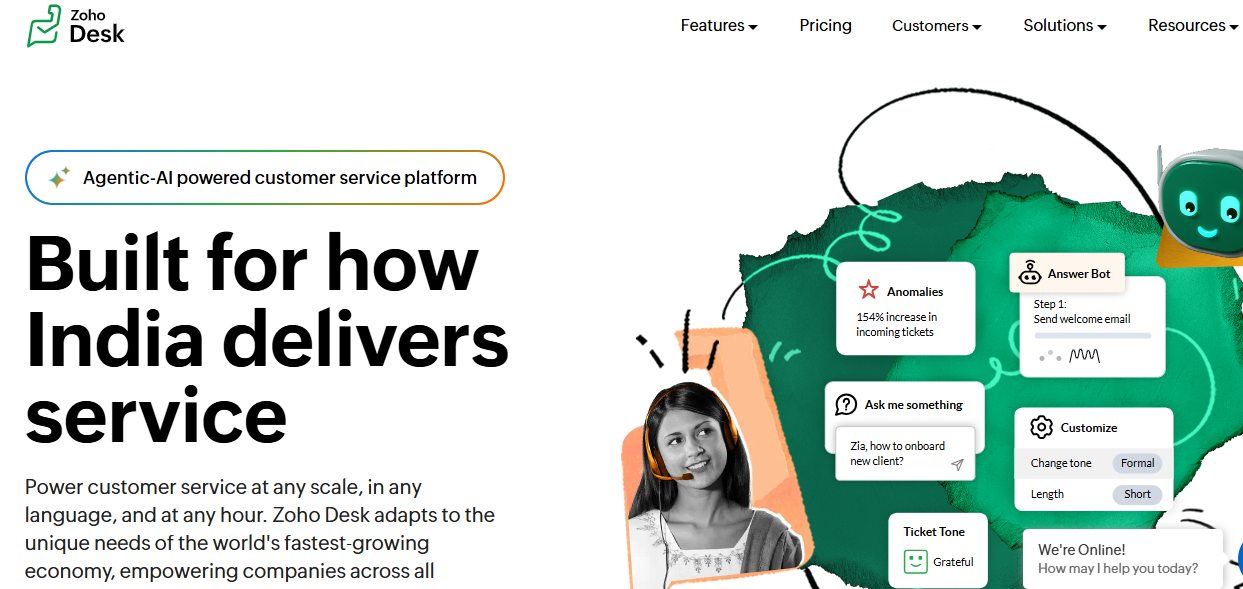
Zoho Desk fits organizations already running Zoho CRM or other Zoho apps that want an affordable, context-aware support platform.
Budget-conscious enterprises choose Zoho Desk for ecosystem convenience and price, even though AI resolution depth trails purpose-built AI-native platforms.
Key Features
- A contextual inbox pulls customer history and CRM data from the Zoho ecosystem into every conversation.
- Zia AI suggests responses, analyzes sentiment, and tags tickets automatically across the queue.
- Omnichannel support covers email, chat, phone, and social in one unified workspace.
Pros
- Among the most affordable full-featured support platforms for cost-conscious enterprises.
- Deep Zoho ecosystem integration removes custom development work for teams already on the stack.
- Zia AI covers meaningful automation without a separate premium AI purchase.
Cons
- Teams outside the Zoho ecosystem lose most of the contextual value.
- AI resolution depth lags behind platforms built AI-first from the start.
- Interface and specialization feel less advanced than top-tier enterprise competitors.
Best Use Case
Organizations already invested in the Zoho ecosystem that need affordable, context-aware, omnichannel support.
When to Choose Zoho Desk
Choose Zoho Desk when budget matters most, your team already runs on Zoho apps, and enterprise-grade specialization is a secondary priority.
Pricing
Zoho Desk pricing starts around $7 per agent per month, with Professional and Enterprise tiers adding automation, AI, and reporting depth.
How to Choose the Best Enterprise Support Platform
1. Evaluate AI automation depth
Evaluate whether AI resolves tickets autonomously, assists agents, and prioritizes conversations natively, or whether it sits behind a paid add-on layered onto ticketing built before AI existed.
2. Check omnichannel coverage
Check whether the platform unifies email, chat, WhatsApp, and social into one workspace. Fragmented channels lose customer context and recreate the exact repetition problem support software is meant to solve.
3. Verify integration depth with your existing stack
Verify how deeply the platform connects to your CRM, ecommerce platform, or product data. A Shopify-native integration or CRM-native case management determines how much of a conversation gets resolved without an agent opening a second tab.
4. Assess scalability without proportional headcount growth
Assess whether the platform absorbs ticket volume spikes through automation rather than requiring proportional seat increases. Support volume rarely grows in a straight line, and the platform should not need emergency reconfiguration when it doesn't. For a deeper walkthrough, see how to scale customer support with ai without adding headcount.
5. Confirm total cost of ownership and security posture
Confirm total cost including seats, AI add-ons, and integrations, not just the advertised starting price. Enterprise deployments also need SOC 2-level security and governance controls before rollout, not after.
How QuantumDesk Simplifies Enterprise Support Workflows
QuantumDesk is built for D2C brands, B2B SaaS teams, and scaling SMBs that already know hiring more agents not fixing support, is the real lesson.
Its AI-native architecture means automation, omnichannel context, and native Shopify integration live in the same workflow from day one, giving D2C brands order and customer data inside every conversation instead of a separate admin tab agents have to open.
Compared to platforms that sell AI as a paid add-on or Shopify apps stitched onto legacy ticketing, QuantumDesk keeps intelligence and commerce data in one connected workflow from the very start.
How QuantumDesk Handles Complex Enterprise Support Workflows:
- Quantum AI resolves repetitive L1 queries automatically, unlike platforms that sell AI as a paid module bolted onto legacy ticketing.
- The unified workspace preserves full context across email, WhatsApp, and social, so customers never repeat themselves switching channels.
- Native Shopify integration surfaces order and customer data directly in conversations, unlike setups where AI still cannot see the Shopify admin.
- The AI-curated inbox prioritizes by urgency and sentiment, following b2b customer service best practices to catch escalations before they get buried.
- Admin analytics track AI resolution rates and CSAT trends in real time, giving leaders visibility legacy platforms usually bury in exports.
Ready for AI-Native Enterprise Support? See how Quantum AI resolves repetitive tickets, unifies every channel, and connects Shopify data directly into conversations, so your team scales support without scaling headcount. → Book a Demo
Frequently Asked Questions About Enterprise Support Platforms
What are the best enterprise support platforms in 2026?
Leading options include QuantumDesk, Zendesk, Salesforce Service Cloud, ServiceNow, Intercom, Jira Service Management, Freshdesk, Gorgias, Front, and Zoho Desk.
The right fit depends on whether your team needs AI-native automation, CRM alignment, ITSM depth, or ecommerce specialization, and how quickly ticket volume is growing.
Which enterprise support platform is best for B2B SaaS teams?
QuantumDesk, Intercom, and Jira Service Management each serve B2B SaaS support well, depending on whether the priority is AI automation, in-app messaging, or engineering alignment.
QuantumDesk fits teams wanting AI-native automation across channels from day one, while Intercom suits product-led messaging and Jira Service Management fits technical escalation workflows.
How do I choose the right enterprise support platform?
Start by identifying your biggest constraint: ticket volume, channel fragmentation, integration gaps, or AI depth relative to your current platform.
Then compare AI automation, omnichannel coverage, integration depth with your CRM or ecommerce stack, and total cost before narrowing to two or three platforms for hands-on evaluation.
Is there a free enterprise support platform available?
Most enterprise-grade platforms use custom, quote-based pricing rather than free tiers built for high ticket volume and complex support operations.
Freshdesk and Zoho Desk offer free plans for smaller teams to test basic workflows, but growing enterprises will need a paid plan to access real automation depth.



.avif)