

Summarize with AI
Key Takeaways
- Teams switch from Freshdesk primarily due to AI features being sold as add-ons rather than built into the core, pricing that compounds at scale, and workflow customization that hits a ceiling on lower tiers.
- QuantumDesk is the strongest alternative for teams needing AI embedded into every layer of support operations, not layered on top of a legacy ticketing core.
- Intercom leads for SaaS teams needing AI-driven messaging and in-product engagement; Help Scout suits email-first small teams wanting fast, simple setup without overhead.
- Zendesk serves enterprise-scale operations needing advanced SLA management and deep analytics; Zoho Desk offers the best value for budget-conscious SMBs already in the Zoho ecosystem.
- QuantumDesk's native Shopify integration pulls order and customer data directly into the support conversation, so agents resolve order queries without switching tabs.
- The right alternative depends on AI depth at entry pricing, channel coverage, workflow customization flexibility, and total cost predictability as ticket volume and team size grow.
Freshdesk has long been one of the most recognised helpdesk platforms, giving support teams a central place to manage tickets, conversations, and customer service across channels.
But as AI in customer service expectations rise, teams are increasingly running into Freshdesk's structural limitations: AI features sold as separate add-ons, pricing that compounds quickly at scale, and workflow customisation that hits a ceiling before complex routing is possible without an upgrade.
For Shopify brands among those evaluating alternatives, whether the platform connects natively to Shopify order and customer data is an equally important criterion alongside AI depth, channel coverage, and pricing model.
This guide covers the 10 strongest Freshdesk alternatives for 2026, evaluated across AI capability, omnichannel coverage, pricing transparency, and deployment complexity to help your team make a confident, well-informed decision.
A Quick Comparison: Top 10 Freshdesk Alternatives in 2026
What Is Freshdesk?
Freshdesk is a cloud-based helpdesk platform built around ticket management. Support teams use it to handle incoming queries from email, chat, phone, and social channels, routing them into a centralised ticketing system for agent response and resolution tracking.
It is built for SMB and mid-market teams that need structured ticket workflows, basic automation, and multi-channel support in a single platform. For teams focused on B2B customer service best practices, Freshdesk offers a recognizable starting point with wide market adoption and a low-cost entry tier.
Key Features of Freshdesk:
- Unified ticketing across email, chat, phone, social media, and web forms with SLA tracking and auto-assignment
- Freddy AI for ticket triage, suggested responses, and self-service deflection, available as a paid add-on on higher tiers
- Automation rules, macros, and canned responses for managing repetitive routing and reply workflows
- Free plan for up to 10 agents with basic helpdesk functionality and limited automation access
- Reporting dashboards covering ticket volume, agent performance, and SLA compliance at higher pricing tiers
Why Are People Looking for Freshdesk Alternatives?
Despite its broad adoption, a consistent set of complaints surfaces across verified review platforms from teams that have run Freshdesk in production at volume.
1. AI Capabilities Are an Add-On, Not the Foundation
Freshdesk's Freddy AI features, including autonomous resolution, agent assist, and predictive CSAT, sit on top of the ticketing core rather than being embedded into it.
Teams discover this during setup, when capabilities that appear central to the platform require a Pro or Enterprise tier to unlock, or a separate Freddy AI purchase on top of base licensing. For teams where agentic AI for customer service is a primary requirement, this structure creates immediate cost pressure.
As one reviewer summarised on G2: "The AI features look great in the demo, but most of them are locked behind the higher tiers. We ended up paying significantly more than we expected just to get the automation we actually needed."
2. Pricing Compounds Quickly as Teams Grow
Freshdesk's free plan covers up to 10 agents with basic functionality, but teams needing meaningful automation, AI, or reporting quickly move into paid tiers where per-agent costs add up faster than the headline numbers suggest.
Freddy AI add-ons, advanced analytics, and enterprise routing features each carry separate price points, creating a compounding cost structure that is difficult to forecast accurately during initial vendor evaluation.
A verified Capterra reviewer noted: "Every time we needed to do something a bit more sophisticated, there was another add-on or a required upgrade. The cost at full operational capacity was about double what we initially budgeted for."
3. Workflow Customisation Hits a Ceiling
Freshdesk's automation rules cover common routing and tagging scenarios well, but teams building complex multi-step workflows across departments report that the rule builder becomes limiting before those workflows are fully configured.
Advanced use cases like conditional escalation paths, multi-team handoff logic, and cross-channel workflow triggers require workarounds or plan upgrades that add both cost and configuration overhead.
A verified G2 reviewer in a logistics support role noted: "We outgrew the automation capabilities faster than expected. Getting the routing logic we needed working required either a plan upgrade or building workarounds that we had to maintain manually."
4. Multi-Channel Management Can Feel Fragmented
Freshdesk's unified inbox handles email, chat, and social well at lower volumes, but teams managing high volumes across multiple channels simultaneously report that the experience becomes fragmented, with different channel queues requiring separate management attention.
The absence of a truly unified customer view across channels means agents sometimes lack full context when a customer moves between email and live chat for the same issue, creating friction that impacts resolution quality and customer experience.
A support manager noted on Capterra: "Managing chat and email simultaneously always felt like two separate tools inside one interface. Getting full customer context across channels took more clicks than it should have."
5. Reporting Depth Is Gated Behind Higher Tiers
Basic ticket volume and response time metrics are available at entry pricing, but the reporting features that operations leaders actually need, like custom dashboards, trend analysis, and CSAT correlation, sit behind Pro and Enterprise tiers.
Teams that need operational visibility to make staffing and workflow decisions often find themselves upgrading primarily for reporting access rather than core support functionality, adding cost without adding capacity.
A verified G2 reviewer highlighted: "The default reports gave us almost nothing useful for making operational decisions. Custom reporting required the Enterprise plan, which was a significant jump from where we were."
How We Evaluated the Best Freshdesk Alternatives
This evaluation goes beyond feature checklists. The goal was to assess how each platform performs in real support, operations, and customer success environments at varying team sizes.
- Review platform analysis: Studied verified ratings and written reviews on G2 and Capterra to identify real satisfaction levels and recurring pain points across use cases.
- Community and forum research: Analysed discussions from CX professionals, support leaders, and operations managers across Slack communities, Reddit, LinkedIn groups, and SaaS forums.
- SaaS directories and analyst reports: Cross-referenced tools listed across major SaaS directories to validate market presence and category positioning for each alternative.
- Capability comparison: Evaluated each tool against a consistent framework covering AI depth, omnichannel support, workflow automation, integrations, and pricing transparency.
- Shopify integration depth: For D2C and e-commerce brands, we assessed whether each platform connects natively to Shopify order and customer data, or relies on a third-party connector that adds configuration overhead and potential sync delays.
- Hands-on testing: The top five shortlisted tools were directly tested by our team to assess automation quality, usability, escalation handling, and real-world support workflow experience.
This methodology gives support teams a practical, unbiased basis for evaluating which platform fits their actual operational needs.
In-Depth Reviews of the Best 10 Freshdesk Alternatives in 2026
The tools below were evaluated based on AI capability, channel coverage, ease of deployment, escalation design, and overall value across SMB, mid-market, and enterprise support environments.
Teams specifically searching for the best AI help desk software will find this breakdown a useful starting point. Each listing follows a consistent evaluation framework for a fair comparison.
1. QuantumDesk - Best AI-Native Customer Support Platform

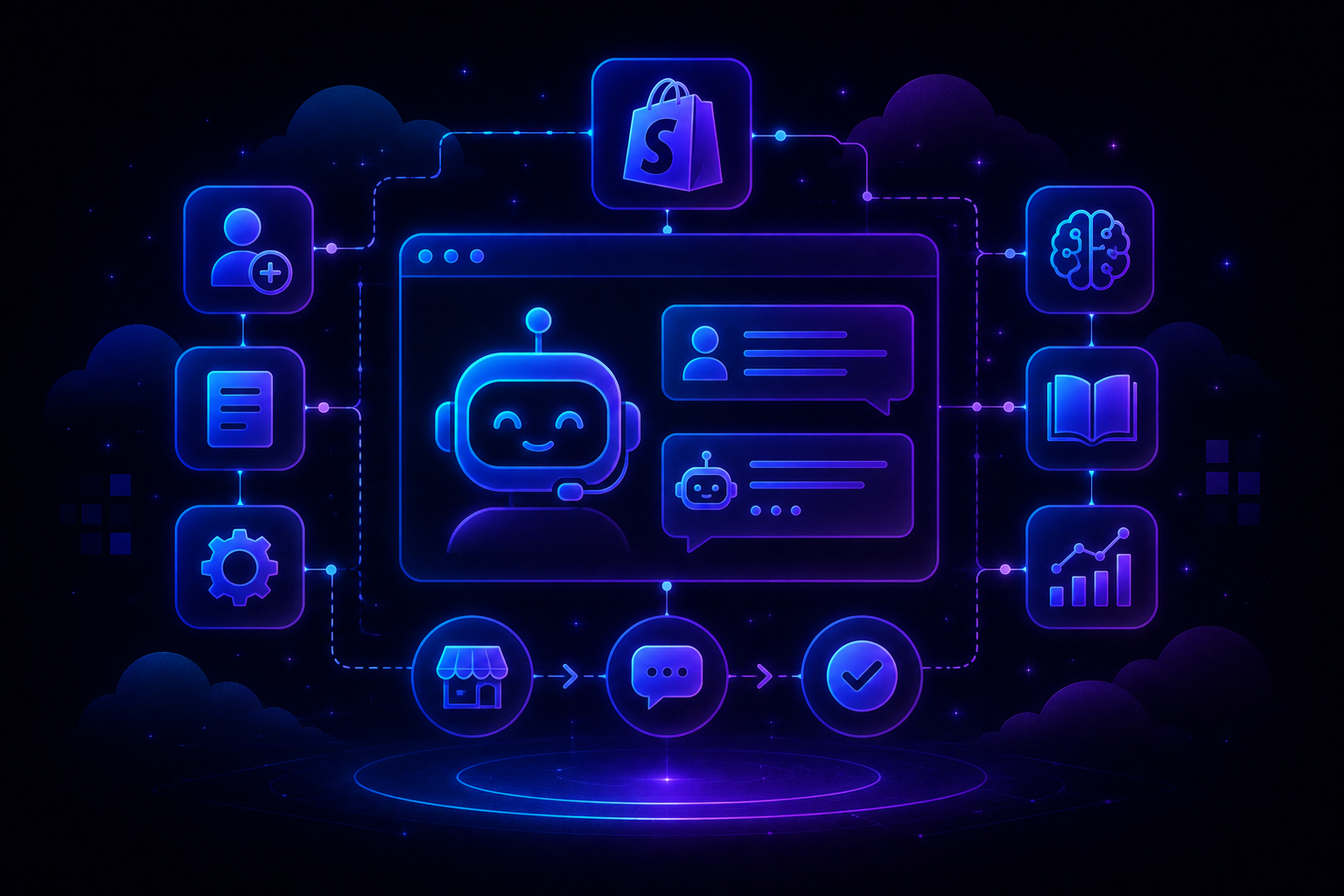
QuantumDesk is an AI-native customer service platform built to resolve high volumes of L1 queries automatically while keeping agents effective for complex escalations across every major support channel. It includes native Shopify integration that pulls order status, history, and customer profiles directly into the support conversation, so agents resolve order queries without opening the Shopify admin in a separate tab.
It is built for D2C brands, SMB to mid-market teams, and B2B operations teams that need strong AI automation, full omnichannel coverage, and agent productivity tools without AI being sold as a separate add-on.
Teams choose QuantumDesk over Freshdesk specifically because AI is embedded into every operational layer rather than sitting on top of a legacy ticketing core.
Key Features
- AI resolution engine: Automatically resolves L1 queries, including order status, refund requests, and account access issues, in real time without routing them to a human agent. This is one of the clearest practical applications of customer service automation available today.
- AI-curated ticket prioritization: Reads urgency signals, customer sentiment, and intent from every incoming conversation, dynamically surfacing the most critical tickets first so high-frustration or high-value conversations are never buried.
- AI copilot for agents: Provides drafted responses, conversation summaries, intent identification, and next-action suggestions directly within the agent workspace as a standard capability, not a paid tier feature.
- Unified omnichannel inbox: Manages email, live chat, WhatsApp, and social conversations in a single workspace with full customer context attached to every conversation regardless of channel.
- Native Shopify integration: Connects directly to Shopify order and customer data, surfacing order status, history, and customer profile within the support conversation so agents resolve order and return queries without switching tools or tabs.
- Support capacity scaling: Designed to absorb significantly higher ticket volumes without requiring a proportional increase in team size, enabling headcount decisions to be driven by complexity rather than raw volume.
Why Choose QuantumDesk Over Freshdesk?
- Freshdesk's Freddy AI requires Pro or Enterprise tier access. QuantumDesk includes AI resolution, prioritization, and agent assist in the core platform without add-on purchases compounding base pricing.
- Freshdesk's automation rules hit a ceiling for complex multi-step routing. QuantumDesk uses AI-driven routing based on sentiment, urgency, and intent rather than manually maintained static rule sets.
- Freshdesk's custom reporting is locked behind Enterprise. QuantumDesk delivers real-time dashboards on resolution rates, escalation patterns, and CSAT trends as a standard feature.
Pros
- AI-native architecture delivers meaningful automation without manual rule configuration, allowing support teams to reduce ticket volume and improve response times from day one of deployment.
- The AI copilot measurably reduces agent handle time by drafting responses, summarising threads, and recommending next actions, improving both response consistency and quality at scale.
- Custom pricing lets teams negotiate around usage and growth stage rather than being locked into rigid per-seat bundles that compound with each AI add-on purchased separately.
Cons
- Ecosystem and third-party integration library are still expanding relative to long-standing incumbents like Zendesk or Salesforce Service Cloud.
- Best value realised at mid-to-high ticket volumes; very small teams may not fully utilise the AI resolution capability available.
- Custom pricing requires direct sales engagement rather than transparent self-serve plan comparison.
Customer Review
"QuantumDesk handles our repetitive queries automatically. Our agents now focus almost entirely on complex escalations. Ticket resolution time dropped within the first month." Paraphrased from a verified customer reviewer.
Pricing
QuantumDesk uses custom, quote-based pricing. Teams pay in line with ticket volume and complexity rather than rigid per-seat or per-conversation tiers. Book a demo to get a custom quote.
Ready to Scale Support Without Adding Headcount? QuantumDesk resolves repetitive L1 queries automatically, prioritises tickets using AI sentiment signals, and unifies all support channels in a single workspace. No Freddy AI add-on. No manual rule maintenance. Just AI-native support from day one - Book a Demo
2. Zendesk Suite - Best for Enterprise Omnichannel Support

Zendesk Suite is an enterprise customer experience platform built for large support operations that need omnichannel ticketing, advanced routing, SLA management, and a broad integration marketplace.
It is built for mid-market and enterprise teams running complex, multi-region support operations where configurability, compliance, and ecosystem depth are non-negotiable requirements. Teams choose Zendesk over Freshdesk when support complexity has grown beyond what Freshdesk's ticketing infrastructure can support, particularly for organisations with strict SLA requirements and a need for deep operational analytics.
Key Features
- Omnichannel ticketing: Manages support across email, chat, voice, social, and messaging in a unified agent workspace with full conversation history and cross-channel context.
- Advanced routing and SLAs: Supports complex conditional routing rules and SLA policies across multiple teams, regions, and escalation tiers without manual workarounds.
- Large integration marketplace: Connects with over 1,000 third-party tools across CRM, analytics, billing, and operations workflows through certified marketplace integrations.
- Zendesk AI: Built-in AI for ticket triage, agent assist, and intent detection across the agent workspace at higher plan tiers, genuinely embedded into core workflows.
Why Choose Zendesk Over Freshdesk?
- Zendesk's SLA management, routing depth, and reporting configurability outperform Freshdesk significantly for large, multi-team support operations with strict service commitments at enterprise tier.
- Zendesk's analytics layer is substantially more mature than Freshdesk's for operations leaders making staffing and workflow decisions without purchasing supplementary tools.
Pros
- Highly configurable workflows, robust analytics, and a broad app ecosystem suit complex mid-market and enterprise support operations well.
- Trusted by large organisations needing advanced routing, SLA management, and compliance-intensive customer service environments across multiple regions.
- Mature AI suite with deflection, agent assist, and intent detection meaningfully embedded into email, chat, and messaging channel workflows.
Cons
- Per-seat pricing with AI and compliance add-ons pushes total cost significantly higher than initial plan page expectations for most deployments.
- Requires dedicated administration and ongoing configuration, adding operational burden for lean SMB or mid-market support teams without a dedicated CX admin.
- Overkill for small teams or growing businesses that need quick deployment and shared inbox collaboration rather than enterprise-grade depth and configuration overhead.
Customer Review
"Zendesk's analytics is the most data-rich support platform we have used. But unlocking the full feature set requires a significant budget commitment that surprised us at renewal." Paraphrased from a verified G2 reviewer.
Pricing
Suite plans start at around $55 per agent per month. Real-world enterprise deployments with AI and advanced tiers typically reach $115 to $169 per agent with annual billing. View Zendesk pricing.
3. Zoho Desk - Best for Affordable SMB and Mid-Market Helpdesk
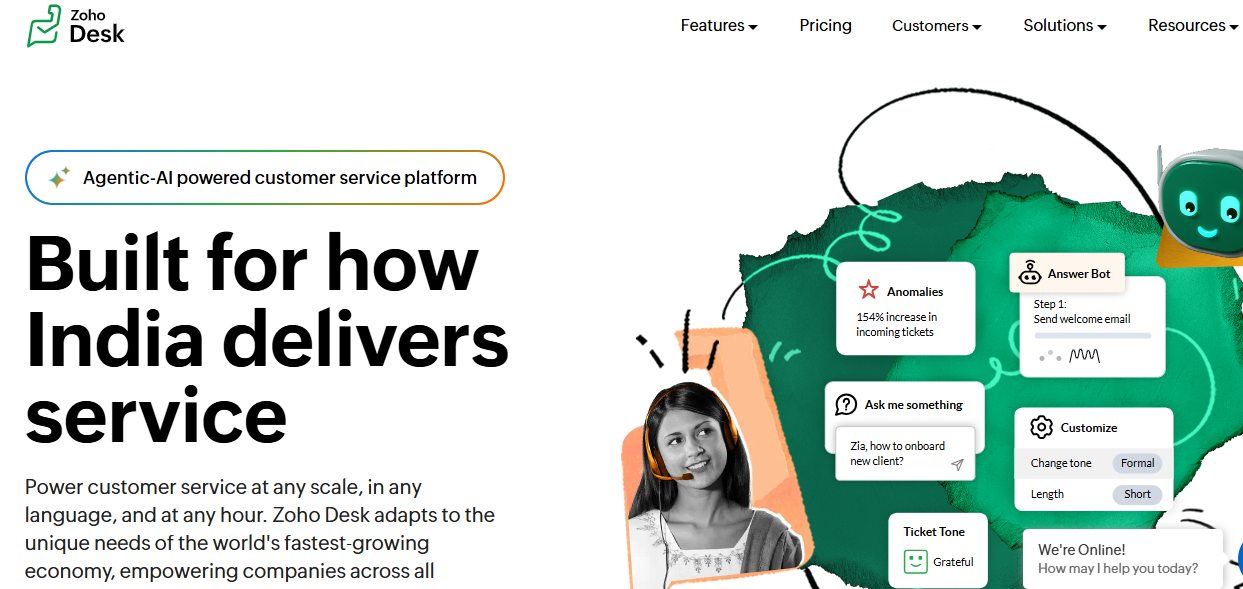
Zoho Desk is a context-aware helpdesk platform recognised as one of the most affordable full-featured Freshdesk alternatives on the market. It is particularly well-suited for SMB and mid-market teams that need strong automation, multi-channel support, and CRM integration without enterprise-level pricing.
It is built for growing teams, particularly those already inside the Zoho ecosystem, that need structured ticket management, SLA tracking, and workflow automation at a price that scales gradually without sudden tier jumps. Teams choose Zoho Desk over Freshdesk when they need comparable helpdesk depth at a lower per-agent cost with stronger native CRM integration.
Key Features
- Zia AI: Provides sentiment analysis, automatic ticket tagging, response suggestions, and anomaly detection across the support workflow without separate per-seat billing at higher tiers.
- Multichannel ticketing: Manages email, live chat, phone, social media, and web forms from a unified agent workspace across plan tiers without channel restrictions at entry pricing.
- Blueprint workflow builder: Automates multi-step support processes including escalation paths, team handoffs, and SLA triggers without requiring development resources.
- Native Zoho CRM integration: Two-way sync surfaces full customer and deal context alongside every support ticket without switching tools or configuring third-party connectors.
Why Choose Zoho Desk Over Freshdesk?
- Zoho Desk's paid plans start at $7 per agent per month with multichannel access, compared to Freshdesk's Growth tier at $15 per agent, while offering comparable automation and ticketing depth.
- Zoho Desk includes Zia AI within tiered plans rather than selling it as a separate Freddy AI purchase stacked on top of base licensing, as Freshdesk's structure requires.
Pros
- Outstanding value for the feature set offered at each pricing tier, particularly for SMB and mid-market teams that need automation without paying enterprise prices.
- Deep native integration across the Zoho ecosystem, giving agents full CRM and account context without switching tools or configuring external integrations manually.
- Strong workflow customization and Blueprint automation without requiring development resources or dedicated admin configuration time.
Cons
- User interface feels less polished than some newer alternatives, with a configuration experience that can feel complex for non-technical admins at higher tiers.
- Zia AI capabilities are less mature than newer AI-native platforms for autonomous L1 query resolution at meaningful volume.
- Most valuable within the Zoho ecosystem; teams not using Zoho CRM lose a significant portion of the integration value the platform is built around.
Customer Review
"Zoho Desk delivers capabilities we had previously only seen on far more expensive platforms. The automation depth at the price point genuinely surprised us during evaluation." Paraphrased from a verified Capterra reviewer.
Pricing
Free plan available for up to three agents. Paid plans start at around $7 per agent per month on Standard, scaling to $14 on Professional and $40 on Enterprise with annual billing. View Zoho Desk pricing.
4. Help Scout - Best for Email-First Small Support Teams
Help Scout is an email-first shared inbox platform for small support teams, combining a collaborative inbox, Beacon live chat, and a Docs knowledge base in one approachable and easy-to-manage tool.
It is built for small to mid-sized teams that prioritise human-feeling support interactions and want a clean, low-overhead alternative to Freshdesk's structured ticketing model. Teams choose Help Scout over Freshdesk when they find Freshdesk's ticket interface unnecessarily complex for their support volume and want a conversation-based design that keeps interactions feeling personal.
Key Features
- Shared inbox with collision detection: Prevents multiple agents from responding to the same conversation simultaneously, keeping coordination visible without a formal ticket assignment workflow.
- Beacon live chat widget: Surfaces knowledge base articles for self-service before a live conversation begins, reducing ticket volume from the entry point.
- Docs knowledge base: Built-in documentation tool for creating a customer-facing self-service help centre alongside the shared inbox with article performance analytics.
- AI assist features: Drafts, summarises, and refines agent responses within the inbox at higher plan tiers without requiring separate add-on purchases.
Why Choose Help Scout Over Freshdesk?
- Help Scout's conversation-based design removes the operational overhead of Freshdesk's ticket-centric model for small teams that do not need formal ticket queues to manage their support volume.
- Help Scout's interface requires minimal onboarding, making it faster to adopt than Freshdesk for small teams without a dedicated helpdesk administrator or CX operations resource.
Pros
- Exceptionally clean and intuitive interface with minimal onboarding time, making it one of the fastest platforms to get a small team operational on from day one.
- Conversation-driven design keeps interactions feeling personal and well-organised, which matters for customer-focused SMB and D2C support teams.
- Shared inbox collaboration tools are well designed for small team workflows without the ticket queue overhead that Freshdesk's model introduces.
Cons
- Automation capabilities are limited compared to Freshdesk and more advanced alternatives for teams managing complex routing, escalation, or multi-department workflows.
- Not built to handle very high ticket volumes or sophisticated escalation logic; teams experiencing meaningful growth typically outgrow Help Scout's depth.
- Lacks native phone and deep social channel support, making it a poor fit for teams with multi-channel support needs beyond email and basic chat.
Customer Review
"Help Scout is the most pleasant helpdesk to use day-to-day. Setup took hours, not days. It works perfectly at our team size, though we know we'll eventually need something more scalable." Paraphrased from a verified G2 reviewer.
Pricing
Standard plans at ~$22 per user per month; Plus ~$44 per user per month with more advanced reporting and integrations, both billed annually. View Help Scout pricing.
5. Intercom - Best for Conversational AI and SaaS Messaging
Intercom is a customer engagement and support platform built around conversational AI, making it a natural fit for SaaS companies that need real-time in-product engagement alongside traditional customer support operations.
It is built for B2B SaaS and digital-first companies that prioritise in-product messaging, proactive lifecycle engagement, and conversation-based support rather than a reactive ticket queue. Teams choose Intercom over Freshdesk when the primary need is combining support and proactive customer engagement in a single platform, particularly for onboarding, retention, and in-app help workflows. For teams evaluating AI chatbots for customer service depth, Intercom's Fin bot is one of the most mature options available.
Key Features
- Fin AI bot: Resolves customer queries using company knowledge base content without human escalation, delivering strong automated resolution rates when configured with a well-structured knowledge base.
- In-app messaging and product tours: Embeds proactive support and onboarding guidance directly inside the product for a native end-user experience without redirecting customers to external channels.
- Unified inbox: Manages support, customer success, and sales conversations from a single workspace with full customer context and lifecycle data attached to every thread.
- Customer data platform: Builds segmented audiences from product behaviour and conversation history for targeted, lifecycle-stage-based proactive messaging.
Why Choose Intercom Over Freshdesk?
- SaaS teams that need both reactive support and proactive in-product engagement cannot achieve both from Freshdesk, while Intercom handles both natively with a single platform investment.
- Intercom's Fin AI bot delivers stronger automated resolution rates than Freshdesk's Freddy bot for SaaS teams with a well-maintained, structured knowledge base driving deflection.
Pros
- Fin AI delivers strong automated resolution rates with minimal configuration for SaaS teams with well-structured knowledge base content built out before deployment.
- In-app messaging and proactive engagement features are genuinely industry-leading for product-led SaaS growth and embedded support motions.
- Clean and modern interface that teams find easy to adopt quickly relative to more complex enterprise helpdesk platforms.
Cons
- Pricing is high and scales quickly with contact volume, with per-resolution AI billing stacking on top of seat licences as automation usage grows.
- Not well-suited for ticket-heavy operations or teams managing high volumes of structured helpdesk workflows that require SLA management and formal ticket queues.
- Full value requires a well-structured and actively maintained knowledge base for Fin to draw from; without it, automated resolution rates drop significantly.
Customer Review
"Fin's resolution rate was genuinely impressive once we had the knowledge base built out. The per-resolution billing added up faster than we expected as we scaled, but the automation impact was real." Paraphrased from a verified G2 reviewer.
Pricing
The essential plan starts at around $39 per seat per month. Fin AI bot is billed additionally per successful resolution on top of seat licensing, which compounds at higher usage volumes. View Intercom pricing.
6. HubSpot Service Hub - Best for CRM-Connected Support Teams
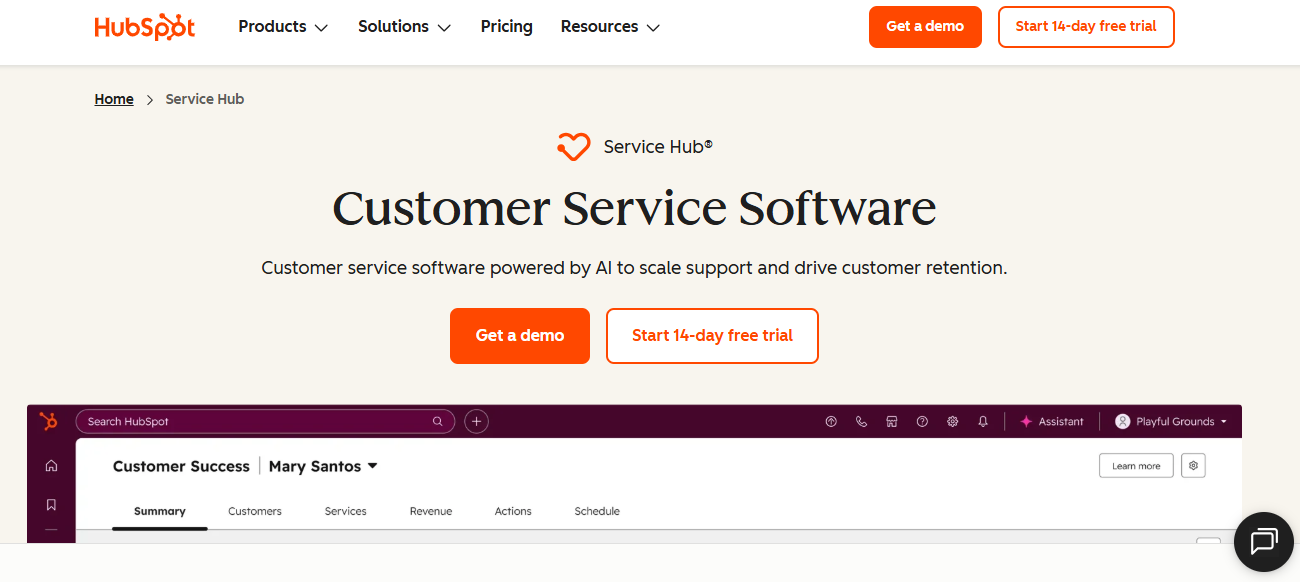
HubSpot Service Hub is the customer support component of the HubSpot platform, offering ticketing, live chat, knowledge base, and feedback tools tightly integrated with HubSpot CRM.
It is built for B2B SaaS and service teams already standardised on HubSpot CRM that want support operations tightly aligned with sales pipelines and marketing automation workflows. Teams choose HubSpot over Freshdesk when they need full account and deal context visible to support agents without configuring third-party CRM connectors, and when consolidating tooling across sales, marketing, and service is a priority.
Key Features
- Native HubSpot CRM integration: Connects every support interaction with contact, company, and deal records for full customer lifecycle context inside one ecosystem without external connectors.
- Ticketing with automation and SLA management: Structured ticketing with routing automation, SLA tracking, and team-based ownership across support and customer success workflows.
- Customer feedback tools: Built-in NPS, CSAT, and CES surveys collected and stored directly inside the HubSpot platform without additional survey tooling.
- Live chat and conversational bots: Connected directly to CRM records, enabling bots to personalise responses based on contact history and lifecycle stage.
Why Choose HubSpot Service Hub Over Freshdesk?
- HubSpot embeds service directly inside the CRM, giving agents full account and deal context that Freshdesk requires significant external connector configuration to replicate at the same depth.
- HubSpot's cross-functional reporting across sales, marketing, and service is more unified than Freshdesk's analytics for revenue-aligned support operations.
Pros
- Best-in-class CRM integration for teams already in the HubSpot ecosystem, providing unmatched customer context across sales, marketing, and service interactions in a single connected platform.
- Free tier makes it accessible for early-stage and small teams already operating inside HubSpot without upfront cost commitment.
- Unified platform reduces tool sprawl across marketing, sales, and support, lowering the operational overhead of managing multiple disconnected platforms.
Cons
- Advanced automation and reporting are gated behind significantly higher-priced Professional and Enterprise tiers, creating a steep cost step-up for growing teams.
- Teams outside the HubSpot ecosystem lose most of the platform's primary value, making it a weaker choice for teams standardised on Salesforce or other CRM platforms.
- Ticketing functionality is less mature than dedicated helpdesk platforms at comparable price points for teams with complex escalation or SLA management requirements.
Customer Review
"The CRM integration is genuinely transformative if you're on HubSpot. Every support interaction includes full deal and account context. The cost scales quickly though, and once you're in, switching is a real undertaking." Paraphrased from a verified Capterra reviewer.
Pricing
Free tools available for core support functions. Starter plan at around $15 per seat per month. Professional and Enterprise tiers scale significantly higher with annual billing. View HubSpot Service Hub pricing.
7. Front - Best for Collaborative Shared Inbox Management
Front is a shared inbox platform that manages communication across email, SMS, social media, and other channels while keeping conversations in their native format with collaboration and automation tools layered on top.
It is built for operations, account management, customer success, and shared sales and support functions where internal collaboration and customer communication are closely intertwined. Teams choose Front over Freshdesk when they handle complex, collaborative customer conversations requiring multiple contributors before responding, and when a ticket queue model introduces more friction than value.
Key Features
- Shared inbox across channels: Manages email, SMS, WhatsApp, social media, and voice in shared inboxes with assignment, internal notes, and shared drafts visible across the team.
- Internal commenting and shared drafts: Multiple team members can comment on and co-author a reply before it is sent, keeping coordination inside the conversation without switching to a separate communication tool.
- Automated routing rules and SLA tracking: Handles message assignment, escalation triggers, and SLA monitoring for teams with defined response time commitments across accounts.
- Extensive integration library: Connects with CRM, project management, and support tools to surface relevant customer context alongside each conversation.
Why Choose Front Over Freshdesk?
- Teams handling collaborative conversations requiring multiple contributors will find Front's shared drafts and internal commenting architecture far better suited than Freshdesk's ticket-centric model.
- Front's multi-channel support feels native rather than bolted on, which matters for account management and customer success teams managing conversations across email, SMS, and social simultaneously.
Pros
- Collaboration features within conversations are among the best in any shared inbox tool, reducing the back-and-forth of internal forwarding and comment chains.
- Multi-channel coverage feels native and unified rather than channel-by-channel, which matters for operations teams managing diverse communication flows.
- Clean, modern interface that teams find comfortable to work in daily without significant training overhead or platform administration.
Cons
- Not well optimised for high-volume, structured ticketing operations where formal SLA management and complex escalation routing are required at scale.
- Reporting is less advanced than dedicated helpdesk platforms for operations leaders tracking team performance, resolution rates, and CSAT trends.
- Pricing can feel high for smaller teams relative to the core feature set when compared to simpler shared inbox alternatives at lower price points.
Customer Review
"Front is the best tool for collaborative customer communication we have used. Shared drafts and internal comments transformed how our team coordinates on responses. Moving away from a ticket queue was the right call for our workflow." Paraphrased from a verified G2 reviewer.
Pricing
The starter plan begins at around $19 per seat per month. Higher tiers offer more advanced analytics, integrations, and workflow automation capabilities. View Front pricing.
8. HappyFox - Best for Structured SLA-Driven Ticketing
HappyFox is a structured helpdesk and ticketing platform aimed at mid-market businesses that need reliable SLA management and organised ticket workflows without the complexity of enterprise tools.
It is built for support teams in healthcare, education, IT services, and compliance-sensitive industries that need precise escalation paths and SLA compliance management that Freshdesk's defaults do not provide without significant custom configuration. Teams choose HappyFox over Freshdesk when operational compliance and reporting visibility around SLA performance are primary requirements.
Key Features
- SLA management: Custom SLA rules, escalation paths, and breach alerts configured per ticket category, team, and customer priority level without developer involvement.
- Omnichannel ticketing: Manages email, chat, phone, and social from a unified ticket workspace with automated routing and team assignment rules.
- Canned responses and bulk actions: Speeds up high-volume response workflows for common query categories without requiring per-ticket manual input from agents.
- Advanced reporting: Covers agent performance, ticket trends, and SLA compliance at a level of detail that goes beyond Freshdesk's mid-tier reporting capabilities.
Why Choose HappyFox Over Freshdesk?
- Teams running compliance-sensitive operations with strict SLA requirements will find HappyFox's more granular escalation and compliance management tools a meaningful step up from Freshdesk's defaults without an Enterprise upgrade.
- HappyFox's reporting provides stronger operational visibility around SLA compliance and agent performance trends than Freshdesk's mid-tier analytics.
Pros
- SLA management tools are more mature and configurable than most alternatives at the same price point, particularly for compliance-sensitive support environments.
- Reporting provides strong operational visibility without heavy customization, giving support leaders actionable data without a dedicated analytics tool.
- The self-service portal and knowledge base are well integrated into the ticket flow, reducing inbound volume from common query categories.
Cons
- Pricing increases significantly at higher tiers, creating a cost ceiling that limits scalability for fast-growing teams or organisations with rapidly expanding headcount.
- AI capabilities are less advanced than newer platforms entering the market, making it a weaker fit for teams prioritising autonomous L1 resolution.
- Interface is functional but not particularly modern compared to newer entrants, with a configuration experience that reflects the platform's heritage.
Customer Review
"HappyFox's SLA tools and reporting delivered the operational visibility we had been missing in lighter helpdesk platforms. Implementation was straightforward and the compliance tracking has held up under audit." Paraphrased from a verified G2 reviewer.
Pricing
Basic plan starts at around $29 per agent per month, with Enterprise options available for larger organisations requiring advanced customisation. View HappyFox pricing.
9. LiveAgent - Best for Omnichannel Support with Native Voice
LiveAgent is a comprehensive omnichannel support platform that stands out for the breadth of its communication channels, including live chat, email, voice, video calls, and a wide range of social and messaging integrations in a single platform.
It is built for SMB and mid-market teams that need phone support as part of their omnichannel operation without a separate telephony integration, at a price point that does not require enterprise-scale commitment. Teams choose LiveAgent over Freshdesk when native call center functionality is a requirement and the telephony add-on model Freshdesk uses adds operational complexity and cost.
Key Features
- Native call center with IVR: Includes call routing, internal calls, and call recording built directly into the platform without requiring a third-party telephony tool or separate subscription.
- Universal inbox: Combines email, chat, social, phone, and forum conversations in a single workspace with full conversation history across channels.
- Live chat with proactive invitations: Supports chat routing, real-time visitor monitoring, and proactive engagement triggers without requiring additional live chat tooling.
- Broad integration library: Connects with over 200 tools across CRM, ecommerce, and communication platforms for workflow and data synchronisation.
Why Choose LiveAgent Over Freshdesk?
- Teams that need built-in call center functionality without a separate telephony integration will find LiveAgent's native voice support a clear and cost-effective advantage over Freshdesk's telephony add-on model.
- LiveAgent's free plan and low-cost entry tiers offer broader channel coverage than Freshdesk's free plan, which is restricted to basic email ticketing functionality.
Pros
- Native call center and voice support are included without requiring third-party integrations, consolidating helpdesk and telephony costs into a single subscription.
- Extremely broad channel coverage relative to pricing, making it one of the most cost-effective omnichannel options available for SMB teams with voice requirements.
- Free plan available for teams getting started with a limited budget and basic multi-channel support needs.
Cons
- The interface looks and feels dated compared to newer support platforms, with a configuration experience that reflects the platform's longer development history.
- Mobile application needs improvement relative to the desktop experience for agents managing support on the go.
- AI capabilities are limited compared to more modern alternatives for teams prioritising autonomous resolution or AI-assisted agent workflows.
Customer Review
"We replaced both our helpdesk and telephony systems by switching to LiveAgent. The call centre functionality included without extra cost was the deciding factor, and the combined cost was lower than what we were paying for two separate tools." Paraphrased from a verified Capterra reviewer.
Pricing
Free plan with limited features available. Paid plans start at around $15 per agent per month, with higher tiers unlocking advanced automation, reporting, and omnichannel coverage. View LiveAgent pricing.
10. Kustomer - Best for High-Volume B2C Retail Support
Kustomer is a CRM-native customer service platform designed for high-volume B2C brands in retail, ecommerce, and consumer goods. It organises support around a complete customer timeline rather than individual tickets, giving agents full visibility into purchase history and previous interactions in a single conversation view.
It is built for retail and ecommerce teams handling large volumes of post-purchase queries, where purchase context, return history, and behavioural data need to be visible to agents immediately without switching between tools. Teams choose Kustomer over Freshdesk when the nature of their support is inherently retention-focused and the ticket-centric model Freshdesk uses strips out the customer context that makes resolution faster and more effective. This model aligns well with how to scale customer support in high-volume B2C environments.
Key Features
- Customer timeline view: Consolidates purchase history, support history, and behavioural data into a single conversation view, giving agents full context the moment they open a ticket without searching across systems.
- AI automation for routine queries: Routes, tags, and resolves common post-purchase queries, including order status and return requests, without requiring manual agent intervention at the first touchpoint.
- Omnichannel inbox: Covers email, chat, SMS, social, WhatsApp, and voice with full conversation history unified into the customer timeline regardless of which channel the query arrived through.
- Deep ecommerce integrations: Connects natively with Shopify, Magento, and other commerce platforms to pull transaction and product data directly into the support workspace.
Why Choose Kustomer Over Freshdesk?
- High-volume B2C brands that need purchase and behavioural data visible inside every support conversation will find Kustomer's CRM-native model vastly superior to Freshdesk's ticket-centric approach for retention-focused support.
- Kustomer's ecommerce integrations are among the deepest available, providing agent context that Freshdesk's third-party connector model cannot replicate natively.
Pros
- The customer timeline model provides unmatched context for B2C support interactions, enabling agents to resolve issues faster when full purchase context is immediately visible.
- Deep ecommerce platform integrations with Shopify, Magento, and comparable platforms are among the best available in the support platform market.
- AI automation is effective for high-volume post-purchase query resolution, reducing first-contact handling time for the most common B2C support categories.
Cons
- Pricing is high and positions Kustomer primarily for larger B2C operations with the ticket volume to justify the per-user cost at Enterprise tier.
- Overkill for B2B teams or organisations with lower ticket volumes where the customer timeline model does not deliver proportional operational value.
- Implementation complexity is higher than simpler helpdesk alternatives, requiring more initial configuration and data integration work before the platform is fully operational.
Customer Review
"The customer timeline is genuinely transformative for retail support. Agents resolve issues faster because the full purchase context is immediately visible. We would not go back to a ticket-first model." Paraphrased from a verified G2 reviewer.
Pricing
Enterprise plan starts at around $89 per user per month, generally positioned for mid-market and enterprise B2C organisations. View Kustomer pricing.
How to Choose the Best Freshdesk Alternative in 2026
Freshdesk's AI add-on structure, tiered workflow limits, and reporting gating create specific evaluation criteria that matter more here than in most helpdesk platform comparisons.
1. AI Architecture and Whether It Is Embedded or Sold Separately
Freshdesk sells Freddy AI features as separate add-ons on top of base plan pricing, meaning the AI capabilities shown in product demos typically require a tier upgrade or supplementary purchase to unlock in practice.
Evaluate whether the alternative delivers AI resolution, agent assist, and prioritisation inside the core product without additional per-seat or per-feature purchases stacking on top of base licensing. This is the single clearest signal of whether the platform's total cost will remain predictable as your team's AI usage grows over time.
2. Omnichannel Coverage at the Entry Price Point
Freshdesk's free plan is restricted to basic email ticketing, and meaningful omnichannel access, including chat, social, and phone, requires a Growth tier upgrade or separate telephony integration purchases.
Verify the alternative covers your full channel mix natively without forcing an immediate tier upgrade from day one. For teams managing omnichannel customer service across email, chat, and WhatsApp simultaneously, this distinction affects both operational cost and agent experience from the first week of deployment.
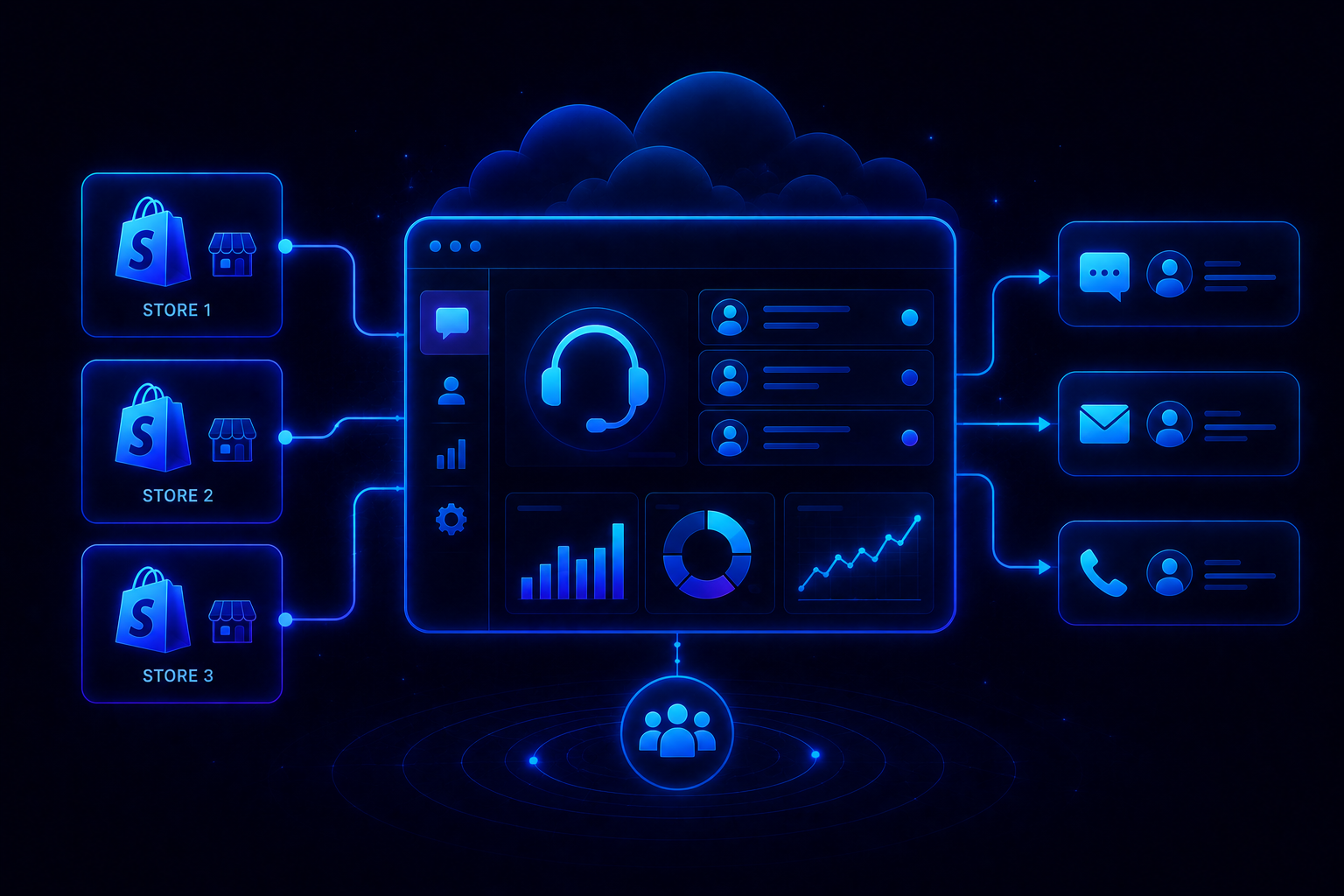
For Shopify brands specifically, verify the alternative connects natively to Shopify order and customer data. Platforms surfacing order context inside the conversation eliminate tab-switching on every order query. QuantumDesk includes this natively; most alternatives require a third-party connector.
3. Workflow Customisation Depth at Affordable Tiers
Freshdesk's automation rules cover common routing and tagging scenarios, but teams building complex multi-step workflows report hitting limitations before those workflows are fully configured, particularly for conditional escalation and cross-team handoff logic.
Confirm the alternative supports the workflow complexity your operations require at a pricing tier your team can realistically commit to, without an Enterprise upgrade to unlock routing logic that most modern platforms include as standard functionality.
4. Reporting and Analytics Without an Enterprise Upgrade
Freshdesk's custom dashboards and deeper CSAT analytics sit behind Pro and Enterprise tiers, meaning teams on Growth access only surface-level metrics that are insufficient for making operational staffing or workflow decisions.
Confirm the alternative surfaces' resolution rates, escalation patterns, and agent performance data at a plan tier your team can afford. Strong reporting at the right price tier is one of the most underestimated factors in the best help desk software evaluations, particularly for teams making quarterly staffing and automation investment decisions.
5. Pricing Scalability as Ticket Volume and Team Size Grow
Freshdesk's free plan is useful for getting started, but teams approaching 10 agents or meaningful ticket volume quickly discover the cost curve steepens faster than expected once Freddy AI add-ons, reporting features, and multi-channel access are factored into the total.
Assess how the alternative's total cost behaves as AI usage, channel needs, and headcount grow together over a realistic two-year trajectory. AI-native platforms that scale support capacity without proportional headcount growth offer a structurally more favourable cost model than agent-centric systems where ticket volume directly drives staffing decisions.
Why Is QuantumDesk the Best Alternative to Freshdesk?
Freshdesk charges separately for Freddy AI, custom reporting, and advanced automation. QuantumDesk includes all three in the core platform.
For Shopify brands specifically, QuantumDesk connects directly to store order and customer data, so Quantum AI resolves order status, return, and account queries without an agent opening the Shopify admin. That same Shopify-native data access most brands associate with Gorgias is now available inside a platform where AI is embedded from day one, not sold as a separate add-on.
QuantumDesk delivers AI resolution, agent copilot, and omnichannel inbox as foundational capabilities from day one, without the add-on structure that makes Freshdesk's total cost difficult to predict at scale.
For SMB and mid-market teams that have outgrown basic helpdesk tooling but cannot absorb the compounding cost of Freshdesk's AI and reporting add-ons, QuantumDesk offers the right combination of AI depth and pricing transparency to scale without surprises.
- AI built into the core, not sold as Freddy: Where Freshdesk sells AI resolution, agent assist, and predictive CSAT as separate purchases, QuantumDesk bundles AI resolution, ticket prioritisation, and copilot assistance into the standard platform from day one.
- Intelligent prioritisation without static rules: Freshdesk's ticket prioritisation relies on manually maintained SLA timers and rule sets. QuantumDesk reads urgency signals, customer sentiment, and intent dynamically so high-value and high-frustration conversations surface first, not last.
- Full omnichannel from day one: Email, chat, WhatsApp, and social are managed in a single unified inbox without channel restrictions tied to pricing tiers, removing the multi-channel upgrade cost Freshdesk's structure introduces.
- Native Shopify integration at no extra cost: QuantumDesk connects directly to Shopify order and customer data, resolving order queries inside the conversation without tab-switching, without the add-on cost structure Freshdesk uses for comparable integration depth.
- Performance visibility without an Enterprise gate: Resolution rates, escalation patterns, and CSAT trends are available as standard rather than locked behind a Pro or Enterprise tier or a separate analytics purchase.
- Volume-based pricing that scales with support, not headcount: QuantumDesk pricing aligns with conversation volume and complexity, avoiding the per-agent cost compounding that makes Freshdesk increasingly expensive as AI usage and team size grow together.
If your team is evaluating Freshdesk alternatives with stronger AI and broader channel coverage at a predictable price, Book a Demo to see how QuantumDesk works in practice.
Frequently Asked Questions About Freshdesk Alternatives
What are the best Freshdesk alternatives?
The top Freshdesk alternatives in 2026 include QuantumDesk, Zendesk Suite, Zoho Desk, Help Scout, Intercom, HubSpot Service Hub, Front, HappyFox, LiveAgent, and Kustomer. The right choice depends on your team's AI requirements, channel needs, and budget expectations.
QuantumDesk is the strongest option for teams needing AI-native architecture without the Freddy AI add-on costs that compound on top of Freshdesk's base plan pricing at scale.
Why do companies switch from Freshdesk?
Companies typically switch from Freshdesk when support operations grow in complexity beyond what Freshdesk's ticketing infrastructure supports efficiently, when they need AI automation built into core workflows rather than sold as a separate Freddy AI purchase, or when pricing at higher tiers becomes difficult to justify relative to the capabilities unlocked.
Workflow customization limitations, fragmented multi-channel management, and reporting gated behind Enterprise tiers are the most commonly cited operational reasons for evaluating alternatives.
How does QuantumDesk compare to Freshdesk?
QuantumDesk is built AI-first from the ground up, while Freshdesk is a traditional helpdesk with AI features layered on top over time. QuantumDesk automatically resolves L1 queries, prioritises tickets using AI sentiment and urgency signals, and provides an agent copilot as a standard capability across the platform.
These capabilities allow support teams to scale ticket capacity without adding headcount, which is a fundamentally different operational model from Freshdesk's agent-centric approach where ticket volume directly drives staffing requirements.
Which Freshdesk alternative is best for small businesses?
Zoho Desk, Help Scout, and LiveAgent are among the strongest options for small businesses due to their accessible pricing, ease of setup, and feature sets that cover most small team support needs without unnecessary complexity.
For teams expecting meaningful growth, QuantumDesk's custom pricing and AI-native architecture are worth evaluating early to avoid the per-seat add-on costs that accumulate quickly in Freshdesk's structure as ticket volume and AI usage scale.
What features should you look for in a Freshdesk alternative?
The most important features to evaluate are AI automation depth and whether it is embedded into the core platform or sold separately, multi-channel inbox management that unifies all customer conversations without channel restrictions at entry pricing, workflow customization flexibility at affordable tiers, integration breadth with your existing CRM and commerce stack, and pricing scalability as ticket volume and team size grow.
For teams planning to scale, the platform's cost trajectory over a two-year horizon is equally important to assess as the feature set available on day one.




.avif)